Mastering Linux Shell Scripting: A Complete Beginner’s Guide (2026)

Welcome to the ultimate Linux shell scripting tutorial for 2026. Whether you are a system administrator, developer, or IT enthusiast, mastering bash scripting will transform how you automate tasks and manage Linux systems. This comprehensive guide covers everything from basic commands to advanced scripting techniques that will save you hours of manual work.
What is Linux Shell Scripting?
Linux shell scripting is the art of writing programs that the Unix shell executes. A shell script is essentially a text file containing multiple commands that can be executed as a program. Instead of typing commands one by one, you write them in a file and run it. This Linux shell scripting tutorial will teach you how to create powerful automation tools.
Shell scripts are the backbone of Linux system administration. They allow you to automate backups, monitor system resources, deploy applications, and manage user accounts. Understanding shell scripting is essential for anyone working with Linux servers or DevOps environments.
Getting Started with Bash
Bash is the default shell on most Linux distributions. Before diving into scripting, ensure you have a basic understanding of Linux commands. Open your terminal and verify your shell by running the command echo $SHELL.
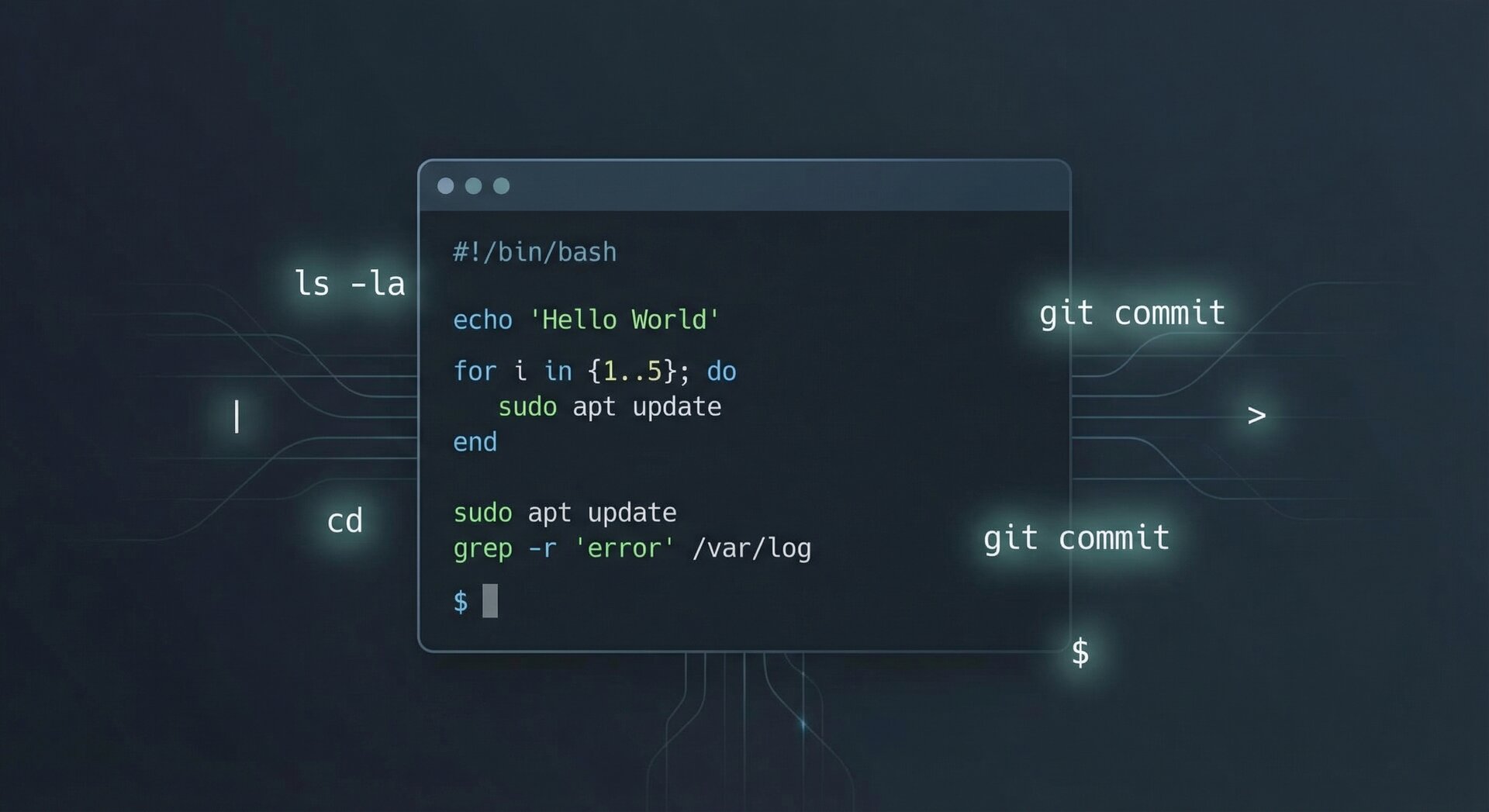
Your first script should always start with a shebang line: #!/bin/bash. This tells the system which interpreter to use for executing the script. Create a new file with the .sh extension and make it executable using chmod +x scriptname.sh.
Variables and Data Types
In bash, variables are defined without spaces around the equals sign. For example: name=John. To access the variable value, use the dollar sign prefix: echo $name. Understanding variables is fundamental to this Linux shell scripting tutorial.
Shell scripting supports various data types including strings, integers, and arrays. Arrays in bash are particularly powerful for storing multiple values. Declare an array with fruits and access elements using index notation.
Conditional Statements
If statements form the logic backbone of your scripts. The basic syntax uses square brackets for test conditions. Common operators include -eq for equality, -ne for not equal, -gt for greater than, and -lt for less than.
Mastering conditionals allows your scripts to make decisions based on system state, user input, or file existence. Combine multiple conditions with logical operators for complex decision trees.
Loops and Iteration
Loops are essential for repetitive tasks. The for loop iterates over lists, while the while loop continues until a condition becomes false. A typical for loop processes each item in a list sequentially.
The while loop is perfect for reading files line by line or waiting for specific system conditions. Master these loop constructs to write efficient automation scripts that handle bulk operations with ease.
Functions and Modular Code
Functions help organize your code into reusable blocks. Define a function and pass arguments to functions using positional parameters. Return values using the return statement or echo command.
Writing modular scripts makes maintenance easier and allows code reuse across projects. Break complex scripts into logical functions, each handling a specific task.
Working with Files and Directories
File operations are central to system administration scripts. Test file existence, check if readable, and verify writability. Use redirection operators to handle input and output streams.
Learn to navigate directories, create backup routines, and parse log files. These skills form the practical foundation of professional Linux administration and are covered extensively in this Linux shell scripting tutorial.
Error Handling and Debugging
Robust scripts include error handling mechanisms. Use set -e to exit immediately when a command fails. Trap signals to clean up resources when scripts are interrupted. Implement logging to track script execution and troubleshoot issues.
Debugging is simplified with flags that print each command before execution. Enable verbose mode during development to understand script flow and identify logic errors quickly.
Real-World Automation Examples
Put your skills into practice with real scenarios. Create automated backup scripts that compress and transfer data to remote servers. Build system monitoring tools that alert administrators when resources exceed thresholds. Develop deployment scripts for continuous integration pipelines.
These practical examples demonstrate how Linux shell scripting solves real business problems. Start with simple scripts and gradually tackle more complex automation challenges as your confidence grows.
Best Practices for Production Scripts
Professional scripts follow established conventions. Always quote variables to prevent word splitting. Use meaningful variable names and include comments explaining complex logic. Validate all user inputs to prevent security vulnerabilities.
Version control your scripts using Git. Document dependencies and requirements. Test scripts in staging environments before deploying to production systems.
Advanced Techniques
Once comfortable with basics, explore advanced topics like process substitution and command substitution. Learn to parse JSON with jq and process text efficiently with awk and sed. These tools extend your scripting capabilities significantly.
Regular expressions add powerful pattern matching to your scripts. Master grep, sed, and awk to transform and filter data streams. These utilities are essential for log analysis and data processing tasks.
Integration with Modern Tools
Shell scripts integrate seamlessly with cloud APIs, container orchestration tools, and configuration management systems. Use curl to interact with REST APIs. Combine scripts with Docker commands for container management. Leverage scripts within CI/CD pipelines for automated deployments.
This Linux shell scripting tutorial provides the foundation, but continuous learning keeps your skills relevant as technology evolves.
Performance Optimization
Optimize script performance by minimizing subprocess calls and using built-in bash features. Avoid unnecessary external commands. Prefer modern test syntax. Use parameter expansion instead of external tools where possible.
Profile slow scripts using the time command. Identify bottlenecks and refactor critical sections. Efficient scripts save system resources and execute faster, especially when processing large datasets.
Security Considerations
Security is paramount when writing scripts that handle sensitive data. Never hardcode passwords in scripts. Use proper file permissions for scripts containing credentials. Sanitize all inputs to prevent command injection attacks.
Regular security audits of your scripts help identify vulnerabilities. Stay updated on common bash security issues and follow security best practices from trusted resources.
Conclusion
Mastering Linux shell scripting opens doors to efficient system administration and DevOps practices. This Linux shell scripting tutorial covered essential concepts from variables and loops to security and optimization. Practice regularly by automating your daily tasks.
Start with simple scripts and gradually build complexity. Refer to the Ubuntu Server installation guide and explore Linux file permissions for related topics. The journey from beginner to expert requires patience and consistent practice.
Remember: every expert was once a beginner. Your automation journey starts with a single script. Happy scripting!
- About the Author
- Latest Posts

Mark is a senior content editor at Text-Center.com and has more than 20 years of experience with linux and windows operating systems. He also writes for Biteno.com