OpenClaw AI Agent Framework Setup and Tutorial 2026: Complete Self-Hosting Guide

The openclaw ai agent framework has emerged as one of the most powerful open-source solutions for building and deploying autonomous AI agents in 2026. Whether you’re a developer looking to automate workflows, a DevOps engineer seeking to streamline operations, or a business owner wanting to leverage artificial intelligence without vendor lock-in, this comprehensive guide will walk you through everything you need to know about setting up and using OpenClaw.
What is the OpenClaw AI Agent Framework?
The openclaw ai agent framework is an open-source platform designed for building, deploying, and automating LLM-powered agents with a strong emphasis on self-hosting and local execution. Released in early 2026, OpenClaw has gained significant traction among developers who want to create autonomous workflows without relying on cloud APIs, addressing critical concerns around privacy, cost, and latency in LLM automation.
Unlike many proprietary solutions that tie you to specific vendors, OpenClaw offers complete LLM agnosticism. You can integrate any local language model via Ollama, llama.cpp, Hugging Face Transformers, or vLLM. This flexibility ensures you maintain control over your AI infrastructure while avoiding expensive cloud API costs that can quickly spiral out of control for production workloads.
Key Features of OpenClaw in 2026
Before diving into the installation process, let’s explore what makes the openclaw ai agent framework stand out from other agent platforms:
- LLM Agnosticism: No vendor lock-in. Use any local LLM through multiple backends including Ollama, llama.cpp, Hugging Face Transformers, or vLLM.
- Agent Automation: Built-in support for hierarchical agents, memory management (short and long-term via vector databases like Chroma or FAISS), planning algorithms (ReAct, Tree-of-Thoughts), and sophisticated execution loops.
- Self-Hosting Native: Runs entirely offline with Docker Compose setups for single-node deployments or Kubernetes for scaling. Includes a web UI for monitoring your agents.
- Rich Tool Ecosystem: Over 100 pre-built tools including browser automation via Playwright, file I/O operations, API integrations, and shell execution. Creating custom tools in Python is straightforward.
- Enhanced Async Processing: 2026 updates brought improved async capabilities for real-time applications, WebSocket streaming for live interactions, and federated learning hooks for fine-tuning without data sharing.
Prerequisites for Installing OpenClaw
Before installing the openclaw ai agent framework, ensure your system meets the following requirements:
- Python 3.11 or higher
- Git for cloning the repository
- Docker (optional but recommended for production deployments)
- Ollama or another local LLM backend (optional but recommended)
- Minimum 16GB RAM for running basic agents with 7B parameter models
- Ubuntu 24.04, Debian 12, macOS, or Windows WSL
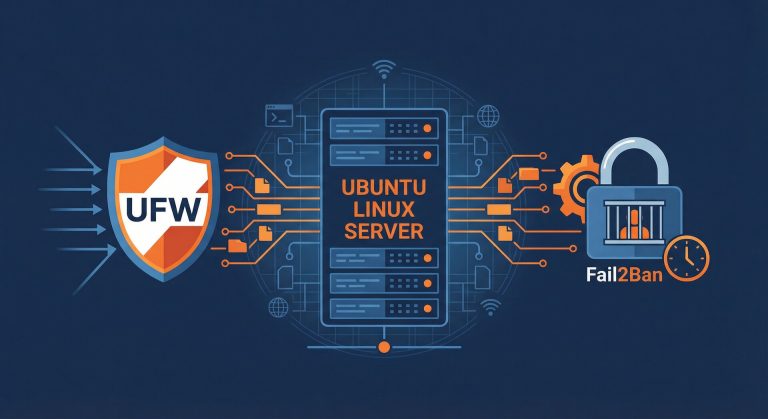
For optimal performance, we recommend running OpenClaw on a dedicated Linux server. If you’re setting up a new server, check out our Ubuntu Server Setup Guide for detailed instructions on preparing your environment.
Installation Methods
Method 1: Manual Installation
For development and testing, install OpenClaw directly from the GitHub repository:
2
3
cd openclaw
pip install -e .
The editable install (\-e flag) is perfect for development as it allows you to modify the source code while keeping the package installed.
Method 2: Docker Installation (Recommended)
For production deployments, Docker provides the most reliable and reproducible installation:
2
3
cd openclaw/docker
docker-compose up -d
This configuration exposes the OpenClaw web interface at http://localhost:8080 and sets up persistent volumes for models, databases, and logs. The Docker approach handles all dependencies automatically and ensures consistent behavior across different environments.
Configuring Your First AI Agent
Once installed, creating your first agent with the openclaw ai agent framework is straightforward. Here’s a complete example:
2
3
4
5
6
7
8
9
10
11
12
13
14
15
16
# Configure the LLM backend
llm = LLM(provider="ollama", model="llama3.1:8b")
# Define a custom tool
@Tool(desc="Add two numbers")
def add(a: int, b: int) -> int:
return a + b
# Create the agent with memory enabled
agent = Agent(llm=llm, tools=[add], memory=True)
# Execute a task
result = agent.run("What's 15 + 27?")
print(result) # Output: 42
This simple example demonstrates the core concepts: LLM configuration, tool definition, agent creation, and task execution. The framework handles all the complexity of prompt engineering, tool selection, and result parsing automatically.
Advanced OpenClaw Features
Multi-Agent Swarms
For complex workflows, the openclaw ai agent framework supports multi-agent swarms where specialized agents collaborate. Use the Swarm class to orchestrate multiple agents:
2
3
4
5
# Create a swarm with researcher, critic, and executor roles
swarm = Swarm(agents=[researcher, critic, executor])
result = swarm.run("Research and implement a caching strategy")
Vector Store Integration
Enable long-term memory with vector databases:
2
agent.add_memory(store="chromadb")
REST API Server
Expose your agents via REST or GraphQL endpoints:
For more automation techniques, explore our guide on Linux Cron Jobs and Scheduled Tasks to combine OpenClaw with system-level automation.
Performance Optimization Tips
To get the most out of the openclaw ai agent framework, consider these optimization strategies:
- Model Selection: Start with smaller models (7B parameters) for testing, then scale up based on your requirements. The 8B Llama 3.1 model offers an excellent balance of performance and resource usage.
- Memory Management: Enable vector stores only when needed for your use case. While powerful, they add computational overhead.
- Tool Optimization: Create focused tools that do one thing well rather than monolithic multi-purpose tools.
- Async Execution: Leverage the 2026 async improvements for I/O-bound tasks like web scraping or API calls.
- Hardware Acceleration: Use GPU acceleration when available through CUDA or ROCm for significantly faster inference.
Security Considerations
When deploying the openclaw ai agent framework in production, security should be a top priority:
- Always run agents with minimal required permissions
- Use sandboxed environments for untrusted code execution
- Implement rate limiting on API endpoints
- Monitor agent activities through comprehensive logging
- Keep the framework and all dependencies updated
- Use network isolation for sensitive deployments
For detailed security hardening guidance, refer to the official OpenClaw documentation and consider implementing additional security layers from our Linux Security Best Practices guide.
Comparison with Other Frameworks
How does the openclaw ai agent framework compare to alternatives? Here’s a quick overview:
- vs LangChain: OpenClaw offers superior self-hosting capabilities and 2-5x faster inference on local setups, though LangChain has a larger ecosystem.
- vs AutoGen: OpenClaw is more LLM-agnostic while AutoGen is Microsoft-focused. Both offer strong multi-agent capabilities.
- vs CrewAI: OpenClaw excels in local execution and speed, while CrewAI focuses on role-based agent definitions.
- vs LlamaIndex: OpenClaw is agent-focused while LlamaIndex specializes in data indexing and retrieval.
Real-World Use Cases
The openclaw ai agent framework excels in various scenarios:
- Automated Data Processing: Build pipelines that extract, transform, and load data with intelligent decision-making at each step.
- Web Scraping at Scale: Create autonomous agents that navigate websites, extract structured data, and handle pagination and authentication.
- DevOps Automation: Automate deployment pipelines, monitor system health, and respond to incidents without human intervention.
- Content Generation: Produce SEO-optimized articles, social media posts, and documentation with consistent quality.
- Research Assistants: Build agents that search multiple sources, synthesize information, and generate comprehensive reports.
Troubleshooting Common Issues
Memory Issues
If you encounter out-of-memory errors, try using quantized models (4-bit or 8-bit) through llama.cpp or reducing the context window size in your LLM configuration.
Tool Execution Failures
Enable debug logging to see exactly what commands the agent is attempting:
1 | export OPENCLAW_LOG_LEVEL=DEBUG |
Model Connection Problems
Verify your Ollama or LLM backend is running and accessible. Test with a simple curl command before configuring OpenClaw.
Conclusion
The openclaw ai agent framework represents a significant advancement in self-hosted AI automation. Its combination of LLM agnosticism, comprehensive tool ecosystem, and focus on local execution makes it an excellent choice for organizations prioritizing data privacy and cost control.
By following this guide, you should now have a working OpenClaw installation and understand how to create, configure, and deploy AI agents for your specific use cases. As the framework continues to evolve throughout 2026, expect even more features around federated learning, improved multi-agent coordination, and expanded tool integrations.
Start building your first agent today and discover how autonomous AI can transform your workflows. The future of self-hosted AI automation is here, and it’s called OpenClaw.
Additional Resources
- About the Author
- Latest Posts

Mark is a senior content editor at Text-Center.com and has more than 20 years of experience with linux and windows operating systems. He also writes for Biteno.com