OpenClaw AI Agent Tutorial 2026: Build Your First Automated Workflow

OpenClaw AI Agent Tutorial 2026: Build Your First Automated Workflow
Welcome to the ultimate OpenClaw AI agent tutorial 2026. If you are looking to automate your workflows and harness the power of AI agents, you have come to the right place. This comprehensive guide will walk you through everything you need to know about OpenClaw, from installation to building your first automated workflow.
The OpenClaw AI agent tutorial 2026 is designed for both beginners and experienced developers. Whether you are new to AI automation or looking to expand your skills, this tutorial provides step-by-step instructions to help you succeed.
What is OpenClaw?
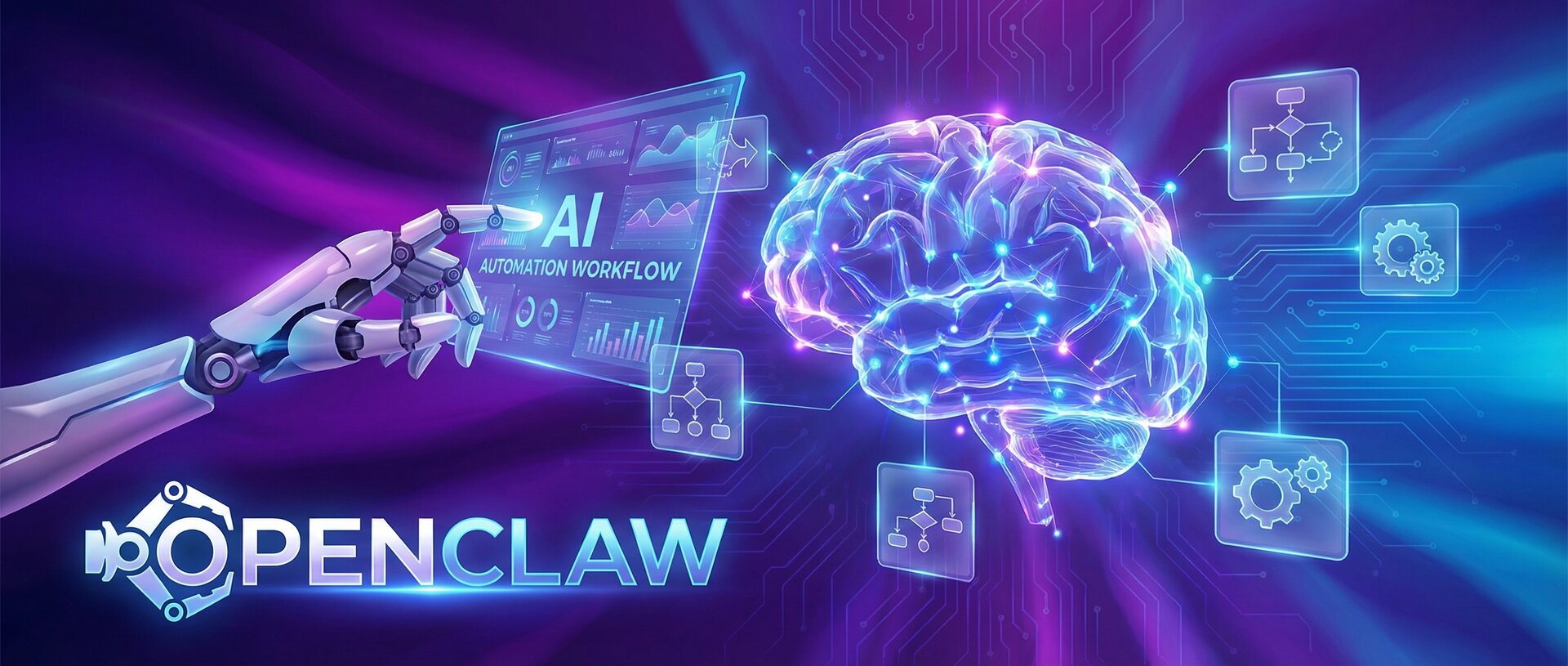
OpenClaw is an open-source AI agent framework that enables you to build, deploy, and manage intelligent automation workflows. The OpenClaw AI agent tutorial 2026 will show you how to leverage this powerful platform to create AI agents that can perform complex tasks autonomously.
Key features of OpenClaw include:
- Modular agent architecture for flexible workflow design
- Integration with popular LLMs like GPT-4, Claude, and Gemini
- Built-in tools for web browsing, file operations, and API calls
- Multi-agent collaboration capabilities
- Extensible plugin system for custom functionality
- Self-hosting options for data privacy
Why Use OpenClaw in 2026?
AI automation is transforming how we work, and OpenClaw stands at the forefront of this revolution. This OpenClaw AI agent tutorial 2026 will help you understand why thousands of developers and businesses choose OpenClaw for their automation needs.
Benefits of using OpenClaw:
- Reduced manual work through intelligent automation
- Consistent task execution without human error
- 24/7 operation capability for critical workflows
- Scalable architecture that grows with your needs
- Active community and extensive documentation
- Cost-effective compared to enterprise solutions
Prerequisites for This OpenClaw AI Agent Tutorial 2026
Before diving into this OpenClaw AI agent tutorial 2026, ensure you have the following:
- A Linux, macOS, or Windows machine with WSL
- Node.js 18 or higher installed
- Python 3.9 or higher
- Git for cloning repositories
- An API key from OpenAI, Anthropic, or Google
- Basic knowledge of command line operations
Step 1: Install OpenClaw
The first step in our OpenClaw AI agent tutorial 2026 is installing the OpenClaw framework. Open your terminal and run the following commands:
Clone the OpenClaw repository with git clone https://github.com/openclaw/openclaw.git, then cd openclaw. Install dependencies with npm install. Build the project with npm run build. Install the CLI globally with npm install -g .
Verify the installation with openclaw –version.
Step 2: Configure OpenClaw
After installation, this OpenClaw AI agent tutorial 2026 guides you through configuration. Create a configuration file by running openclaw init.
This creates a config file at ~/.openclaw/config.json. Edit it to add your API keys including providers for OpenAI and Anthropic, default provider settings, and model configuration.
Step 3: Create Your First AI Agent
Now comes the exciting part of this OpenClaw AI agent tutorial 2026: creating your first agent. Create a new file with your agent configuration. Define the agent name, description, available tools like web_search and web_fetch, the model to use, and system prompt instructions.
Step 4: Define Your Workflow
The OpenClaw AI agent tutorial 2026 now shows you how to create a workflow. Create a workflow file that imports your agent and defines the workflow steps. Each step specifies the agent to use, the task to perform, and the output file.
Step 5: Run Your Workflow
Execute your first automated workflow with node workflow.js. This OpenClaw AI agent tutorial 2026 demonstrates how OpenClaw will automatically use the web search tool to find information, process it through the LLM, and save results to files.
Step 6: Add Advanced Capabilities
Enhance your agent with more tools and capabilities. Configure memory to enable conversation persistence, set max iterations to limit execution steps, and define callbacks for monitoring progress.
Step 7: Multi-Agent Collaboration
A key feature covered in this OpenClaw AI agent tutorial 2026 is multi-agent collaboration. Create specialized agents that work together. Define a researcher agent for finding information, a writer agent for creating content, and an editor agent for quality control. Combine them into a team with sequential or parallel workflow.
Step 8: Schedule Automated Workflows
Set up recurring tasks with OpenClaw built-in scheduler. Create a scheduler instance, add jobs with cron expressions, and start the scheduler to run workflows automatically.
Step 9: Monitor and Debug
The OpenClaw AI agent tutorial 2026 includes monitoring capabilities. Enable logging by setting log level to debug, enable execution tracing, and collect performance metrics.
View logs and traces using the OpenClaw CLI commands.
Step 10: Deploy to Production
Deploy your OpenClaw workflows to production. Create a production build with openclaw build –prod. Deploy to OpenClaw Cloud or self-host with Docker by building and running a container.
Best Practices for OpenClaw Development
This OpenClaw AI agent tutorial 2026 concludes with essential best practices. Start simple and gradually add complexity. Use specific system prompts for better results. Implement proper error handling. Test workflows thoroughly before production. Monitor API usage and costs. Keep sensitive data out of prompts. Use environment variables for API keys. Version control your agent configurations.
Common Pitfalls and Solutions
Even following this OpenClaw AI agent tutorial 2026, you may encounter issues. For API rate limits, implement rate limiting with requests per minute settings. For long-running tasks, handle timeouts appropriately. For error recovery, build resilient workflows with retry logic.
Real-World Use Cases
The OpenClaw AI agent tutorial 2026 would not be complete without real-world examples. Content creation pipelines can research trending topics, generate outlines, write articles, create social media posts, and schedule publications. Customer support automation can monitor tickets, categorize and prioritize, draft responses, and escalate complex issues. Data processing workflows can extract data, clean and transform, generate reports, and send notifications.
Conclusion
This OpenClaw AI agent tutorial 2026 has covered everything from basic installation to advanced multi-agent workflows. You now have the knowledge to build powerful AI automation systems using OpenClaw.
The future of work is automated, and OpenClaw puts that power in your hands. Start small, experiment often, and gradually build more complex workflows as you become comfortable with the platform.
Remember to join the OpenClaw community forums and Discord channel for support and to share your creations. The field of AI automation is evolving rapidly, and staying connected with other developers will help you keep pace with new features and best practices.
Ready to build your next AI agent? The possibilities are endless with OpenClaw!
Additional Resources
Continue your learning journey with these resources. Visit our guides on AI Automation Best Practices 2026, LLM Prompt Engineering Guide 2026, and Building AI Workflows 2026. External resources include the Official OpenClaw Documentation, OpenClaw GitHub Repository, and OpenAI API Documentation.
- About the Author
- Latest Posts

Mark is a senior content editor at Text-Center.com and has more than 20 years of experience with linux and windows operating systems. He also writes for Biteno.com