SSH Security Best Practices 2026: Ultimate Guide to Secure Linux Server Access

Implementing robust ssh security best practices is essential for protecting your Linux servers from unauthorized access and cyber threats. In 2026, as remote server administration becomes increasingly critical, following proven ssh security best practices can mean the difference between a secure infrastructure and a compromised system. This comprehensive guide covers everything you need to know about ssh security best practices for modern Linux environments.
Why SSH Security Best Practices Matter in 2026
SSH (Secure Shell) remains the primary protocol for secure remote server access, but default configurations often leave servers vulnerable to attacks. According to recent security reports, SSH brute-force attacks have increased by 35% over the past year. Understanding and implementing ssh security best practices is no longer optional—it’s a fundamental requirement for system administrators.
When you implement proper ssh security best practices, you protect your infrastructure against:
- Brute-force password attacks targeting weak credentials
- Man-in-the-middle attacks intercepting SSH connections
- Unauthorized access from compromised user accounts
- Automated bot scanning for vulnerable SSH services
- Zero-day exploits targeting outdated SSH versions
Essential SSH Security Best Practices for 2026
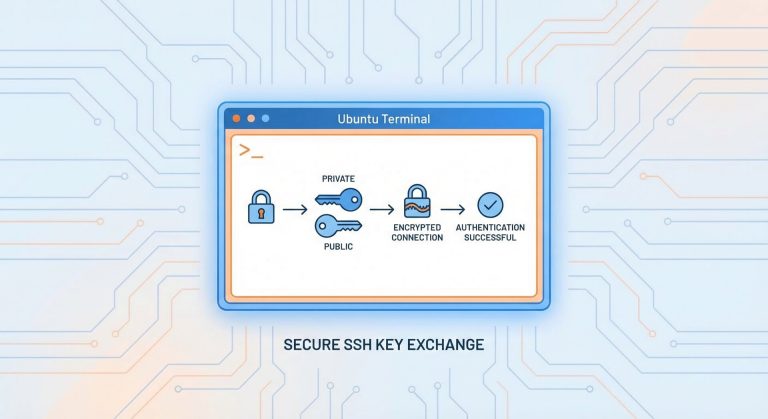
1. Disable Password Authentication and Use SSH Keys
The most critical of all ssh security best practices is switching from password-based authentication to SSH key pairs. Password authentication remains vulnerable to brute-force attacks, while properly configured SSH keys provide cryptographic security that’s virtually impossible to crack.
Generate a secure SSH key pair:
2
3
4
5
ssh-keygen -t ed25519 -C "[email protected]"
# Or use RSA with 4096 bits
ssh-keygen -t rsa -b 4096 -C "[email protected]"
Copy your public key to the server:
Once verified, disable password authentication in
1 | /etc/ssh/sshd_config |
:
2
3
ChallengeResponseAuthentication no
UsePAM no
2. Change the Default SSH Port
While not foolproof, changing the default SSH port (22) significantly reduces automated attacks. This ssh security best practice works through obscurity—most automated scanners target port 22 exclusively.
2
Port 2222 # Choose any port above 1024
Remember to update your firewall rules accordingly:
2
sudo ufw delete allow 22/tcp
3. Implement Firewall Rules and Rate Limiting
Combining ssh security best practices with firewall protection creates defense-in-depth. Use UFW (Uncomplicated Firewall) or iptables to restrict SSH access to specific IP addresses when possible.
2
3
4
5
sudo ufw allow from 203.0.113.5 to any port 2222
# Rate limit SSH connections
sudo ufw limit 2222/tcp
For more advanced firewall configuration, check out our guide on UFW firewall setup and Linux server hardening.
4. Disable Root Login Completely
Among critical ssh security best practices, disabling direct root login prevents attackers from targeting the most privileged account. Always use a regular user account with sudo privileges instead.
2
PermitRootLogin no
Create a secure administrative user:
2
sudo usermod -aG sudo secureadmin
5. Configure SSH Idle Timeout and Session Limits
Implementing session timeouts is one of the often-overlooked ssh security best practices. Idle sessions can be hijacked if a workstation is left unattended.
2
3
4
5
ClientAliveInterval 300
ClientAliveCountMax 2
MaxAuthTries 3
MaxSessions 2
This configuration disconnects idle sessions after 10 minutes (300 seconds × 2) and limits authentication attempts to 3 tries.
6. Use Two-Factor Authentication (2FA)
Modern ssh security best practices include implementing two-factor authentication using Google Authenticator or similar solutions. This adds an additional security layer beyond SSH keys.
2
3
4
5
sudo apt install libpam-google-authenticator
# Configure for your user
google-authenticator
Enable in SSH configuration:
2
3
ChallengeResponseAuthentication yes
AuthenticationMethods publickey,keyboard-interactive
7. Keep SSH Software Updated
One of the most fundamental ssh security best practices is maintaining current SSH software versions. Vulnerabilities are regularly discovered and patched.
2
3
4
5
sudo apt update && sudo apt upgrade openssh-server
# Check current version
ssh -V
8. Monitor SSH Logs and Enable Alerts
Proactive monitoring complements preventive ssh security best practices. Regularly review SSH authentication logs for suspicious activity.
2
3
4
5
sudo grep 'sshd' /var/log/auth.log | tail -50
# View failed login attempts
sudo grep 'Failed password' /var/log/auth.log
Consider implementing automated monitoring with tools like Fail2ban to automatically block repeated failed login attempts.
9. Restrict SSH Access by User and Group
Limiting which users can SSH into your server follows the principle of least privilege—a cornerstone of ssh security best practices.
2
3
4
5
AllowUsers secureadmin [email protected]
# Or allow specific groups
AllowGroups sshusers
10. Implement SSH Banner Warnings
While primarily a legal protection, SSH banners align with ssh security best practices by establishing authorized-use-only policies.
2
Banner /etc/ssh/banner.txt
Create
1 | /etc/ssh/banner.txt |
with your warning message.
Advanced SSH Security Best Practices
SSH Bastion Hosts (Jump Servers)
For enterprise environments, implementing SSH bastion hosts represents advanced ssh security best practices. All external SSH connections route through a hardened jump server before reaching internal infrastructure.
2
SSH Certificate-Based Authentication
SSH certificates provide centralized authentication management, eliminating the need to distribute individual public keys—a scalable approach to ssh security best practices.
Implement Port Knocking
Port knocking adds an additional obscurity layer by keeping the SSH port closed until a specific sequence of connection attempts is detected.
SSH Configuration Checklist: Complete Security Audit
Use this checklist to verify you’ve implemented all critical ssh security best practices:
- ✓ Password authentication disabled
- ✓ SSH key authentication enabled (ED25519 or RSA 4096)
- ✓ Root login disabled
- ✓ Non-standard SSH port configured
- ✓ Firewall rules restrict SSH access
- ✓ Idle timeout configured
- ✓ Two-factor authentication enabled
- ✓ SSH software up to date
- ✓ Log monitoring active
- ✓ User access restricted
- ✓ Fail2ban or similar protection installed
Testing Your SSH Security Configuration
After implementing ssh security best practices, test your configuration before disconnecting your current session:
2
3
4
5
6
7
8
sudo sshd -t
# Restart SSH service
sudo systemctl restart sshd
# Open a new terminal and test connection
ssh -p 2222 username@server_ip
Important: Keep your current SSH session open until you’ve confirmed the new configuration works to avoid lockout.
Common SSH Security Mistakes to Avoid
Even when following ssh security best practices, administrators sometimes make these critical errors:
- Testing on the only connection: Always keep a session open when testing SSH changes
- Weak passphrases on SSH keys: Protect your private keys with strong passphrases
- Sharing private keys: Never share or transmit private SSH keys
- Forgetting firewall rules: Update firewalls when changing SSH ports
- Ignoring SSH agent forwarding risks: Use agent forwarding cautiously
SSH Security Tools and Resources
Enhance your ssh security best practices with these tools:
- SSH Academy – Comprehensive SSH documentation
- Mozilla SSH Configuration Generator – Generate secure SSH configs
- Fail2ban – Automated intrusion prevention
- SSHGuard – Real-time protection against brute-force attacks
Conclusion: Making SSH Security a Priority
Implementing these ssh security best practices creates a robust defense against unauthorized access attempts. In 2026, with cyber threats continuously evolving, securing SSH access is not optional—it’s essential for maintaining server integrity.
Start with the fundamental ssh security best practices: disable password authentication, use SSH keys, disable root login, and configure a firewall. Then progressively implement advanced measures like two-factor authentication and session monitoring.
Remember, security is an ongoing process. Regularly audit your SSH configuration, monitor logs for suspicious activity, keep software updated, and stay informed about emerging threats. By making ssh security best practices a standard part of your server administration routine, you’ll significantly reduce your attack surface and protect your infrastructure.
For more Linux security tutorials, explore our guides on Linux security hardening and system administration best practices.
- About the Author
- Latest Posts

Mark is a senior content editor at Text-Center.com and has more than 20 years of experience with linux and windows operating systems. He also writes for Biteno.com