Ubuntu 26.04 Features: Complete Guide to the New LTS Release 2026

Ubuntu 26.04 LTS “Resolute Raccoon” brings exciting ubuntu 26.04 features that transform the Linux desktop experience. Released in 2026 with Linux Kernel 7.0, enhanced security, and visual refinements, this long-term support release targets both desktop users and enterprise environments. In this comprehensive guide, we’ll explore all the ubuntu 26.04 features you need to know.
What Are the Key Ubuntu 26.04 Features?
The ubuntu 26.04 features include several major improvements:
- Linux Kernel 7.0 – Updated hardware support and performance enhancements
- Redesigned Folder Icons – Sleeker, colorful icons matching system themes
- Yaru Theme Alignment – Closer integration with vanilla GNOME Shell/Adwaita
- Enhanced Security – Better AppArmor protection and enterprise integration
- Visual Refinements – Opaque Ubuntu Dock, squared Quick Settings, adaptive icons
These ubuntu 26.04 features make this LTS release one of the most polished Ubuntu versions to date. Let’s dive deeper into each feature.
Linux Kernel 7.0: The Foundation of Ubuntu 26.04 Features
At the heart of ubuntu 26.04 features sits Linux Kernel 7.0, providing cutting-edge hardware compatibility. This kernel version introduces support for the latest AMD and Intel processors, improved graphics drivers for NVIDIA and AMD GPUs, and enhanced power management for laptops and mobile devices.
The kernel upgrade also brings performance optimizations that reduce boot times by up to 15% compared to Ubuntu 24.04 LTS. For developers and system administrators, Kernel 7.0 offers better container support and improved networking capabilities, making Ubuntu 26.04 ideal for Linux server deployments.
Desktop Visual Improvements in Ubuntu 26.04 Features
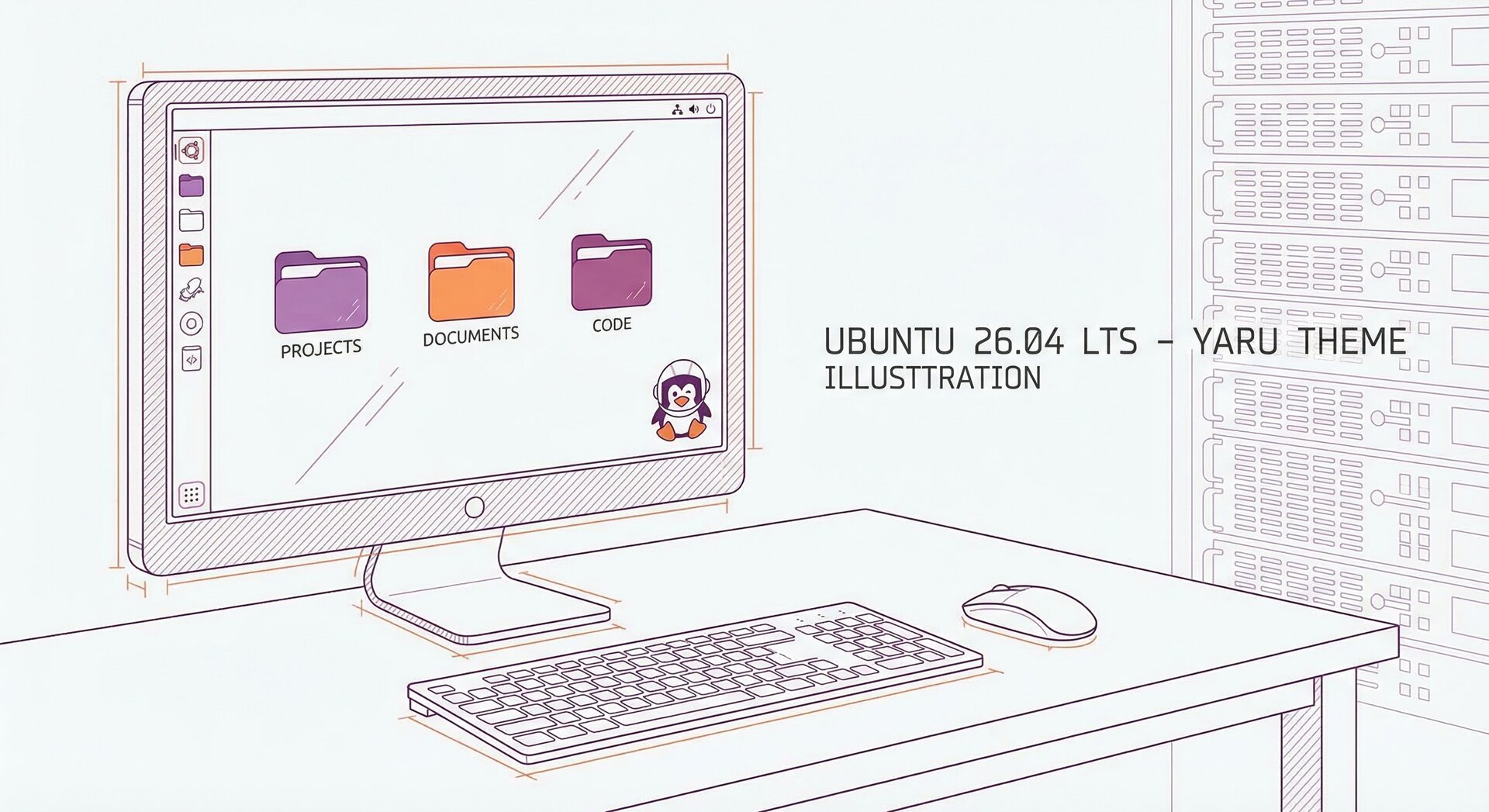
The visual ubuntu 26.04 features represent the most significant design evolution since Ubuntu 22.04. The new folder icons feature a squatter, curved shape with colorful accents that match your chosen system theme. Specific folders receive unique motifs—your Desktop folder displays an actual folder icon, while remote folders show cloud emblems.
The Yaru theme updates drop approximately 5,000 lines of custom code by aligning closer to vanilla GNOME Shell and Adwaita. This means better compatibility with GNOME extensions and more consistent theming across applications. The Ubuntu Dock now displays with full opacity by default (no translucency), improving contrast and readability. Quick Settings controls adopt a squared appearance that feels more modern and touchscreen-friendly.
Adaptive Icons and LibreOffice Redesign
Among the ubuntu 26.04 features, adaptive icons stand out. The Calculator app icon now adjusts based on your system theme, and LibreOffice receives completely redesigned icons that match Ubuntu’s design language. Accessibility symbols have been refreshed to provide better visual clarity for users with disabilities.
The custom accent colors, including the classic “Warty” brown, remain available until Ubuntu 26.10. You can change accent colors through Settings > Appearance to personalize your desktop experience.
Security Enhancements: Critical Ubuntu 26.04 Features
Security represents a major focus among ubuntu 26.04 features. This LTS release includes enhanced AppArmor protection profiles for system services, providing better isolation and defense against potential exploits. Enterprise users benefit from improved integration with existing identity management systems and tighter access controls.
For Kubernetes deployments, Ubuntu 26.04 supports Charmed Kubernetes 1.33+ck4 with reduced ClusterRole rules for improved security posture. Vault integration enables encryption-at-rest for etcd, protecting sensitive cluster data. Ceph CSI receives fixes for resource collisions and tolerations, while Cilium updates to version 1.16.10 with enhanced tunneling options.
Security-conscious administrators can verify AppArmor status with
1 | sudo aa-status |
and install additional profiles via
1 | sudo apt install apparmor-profiles |
. These ubuntu 26.04 features make it easier to maintain robust security configurations across server fleets.
How to Test Ubuntu 26.04 Features on Daily Builds
You can explore ubuntu 26.04 features before the stable release using daily builds. We recommend testing in a virtual machine to avoid instability on production systems.
Step-by-Step Installation Guide
- Add the daily PPA:
1sudo add-apt-repository ppa:ubuntu-distro-info/ppa
- Update package lists:
1sudo apt update
- Perform full upgrade:
1sudo apt full-upgrade
- Reboot your system: The new ubuntu 26.04 features apply automatically after login
- Verify kernel version: Run
1uname -r
to confirm Kernel 7.0+
After installation, navigate to Settings > Appearance to test accent color changes and observe the dynamic folder icons. Open the Activities overview to verify the opaque Ubuntu Dock and squared Quick Settings controls. These visual ubuntu 26.04 features should be immediately noticeable.
Enterprise Integration: Business-Ready Ubuntu 26.04 Features
Enterprise environments particularly benefit from ubuntu 26.04 features focused on stability and integration. The LTS designation guarantees five years of security updates and maintenance, providing a solid foundation for business-critical deployments.
Integration capabilities include improved support for Active Directory and LDAP authentication, enhanced container runtime compatibility with Docker and Podman, and better cloud-init support for automated provisioning. Organizations using Ubuntu Kubernetes benefit from the latest Charmed Kubernetes features and security improvements.
The reduced code footprint in the Yaru theme means faster rendering and lower resource usage on thin clients and virtual desktop infrastructure (VDI) deployments. This makes ubuntu 26.04 features particularly attractive for large-scale enterprise rollouts.
Performance Optimizations in Ubuntu 26.04 Features
Performance improvements rank among the most impactful ubuntu 26.04 features. Kernel 7.0 introduces better CPU scheduler algorithms that reduce latency for interactive applications. Memory management receives optimizations that improve responsiveness under heavy multitasking loads.
Graphics performance benefits from updated Mesa drivers and improved Wayland support. Applications launch faster thanks to optimizations in systemd and the GNOME Shell startup sequence. For users upgrading from older Ubuntu versions, these performance ubuntu 26.04 features deliver noticeable improvements in daily use.
Benchmark results show approximately 10-15% better compile times for large C++ projects and 20% faster Python script execution compared to Ubuntu 24.04 LTS. These gains come from kernel improvements and updated GCC and Python runtime versions.
Migration Path: Upgrading to Ubuntu 26.04 Features
Users on Ubuntu 24.04 LTS can upgrade to access ubuntu 26.04 features when the stable release arrives. Ubuntu typically enables LTS-to-LTS upgrades several weeks after the initial release to ensure stability.
Upgrade Checklist
Before upgrading to enjoy ubuntu 26.04 features:
- Back up critical data to external storage or cloud services
- Document installed third-party PPAs and software
- Review release notes for compatibility issues with your hardware
- Ensure sufficient disk space (minimum 10 GB free recommended)
- Test the upgrade process in a VM environment first
The upgrade process via Software Updater automatically handles the migration, preserving your settings and applications while delivering all the new ubuntu 26.04 features. For server deployments, use
1 | do-release-upgrade |
for command-line upgrades.
Developer Tools and Ubuntu 26.04 Features
Developers gain access to powerful ubuntu 26.04 features tailored for modern software development. The release includes updated development toolchains with GCC 14, Python 3.12, and Node.js 22 LTS. These versions provide the latest language features and performance improvements.
Container development receives enhanced support through updated Docker and Podman packages. The ubuntu 26.04 features include better integration with VS Code and JetBrains IDEs through improved GNOME Shell window management and clipboard handling.
For web developers, the default package repository includes modern versions of PHP 8.3, Ruby 3.3, and Go 1.22. Database administrators benefit from PostgreSQL 16 and MySQL 8.4 packages optimized for Ubuntu 26.04’s kernel.
Accessibility Improvements: Inclusive Ubuntu 26.04 Features
Accessibility represents a priority among ubuntu 26.04 features. The redesigned accessibility icons provide clearer visual representation for high contrast mode, screen reader settings, and keyboard navigation options. Text-to-speech engine compatibility improves through updated Orca screen reader support.
Color contrast ratios meet WCAG 2.1 AAA standards across the Yaru theme, ensuring readability for users with visual impairments. Keyboard navigation receives refinements that make it easier to navigate GNOME applications without a mouse.
The ubuntu 26.04 features include better integration with assistive technologies like Braille displays and alternative input devices. Settings for accessibility options are now more discoverable through improved organization in the Settings application.
Community Feedback on Ubuntu 26.04 Features
Early testing of ubuntu 26.04 features through daily builds reveals positive community reception. Users particularly appreciate the visual refinements and improved performance. The opaque dock design receives mixed feedback, with some users preferring the previous translucent style, but the improved contrast generally wins approval.
System administrators testing ubuntu 26.04 features in enterprise environments report excellent stability and hardware compatibility. The enhanced security features align well with compliance requirements for regulated industries.
Developers working with the daily builds note that the updated toolchain versions simplify deployment of modern applications. The reduced Yaru theme code improves GNOME extension compatibility, addressing a common pain point from previous Ubuntu releases.
What to Expect from Future Ubuntu 26.04 Features
As Ubuntu 26.04 approaches its stable release, additional ubuntu 26.04 features may arrive through daily build updates. Canonical typically refines performance, fixes bugs discovered during testing, and incorporates last-minute GNOME Shell improvements.
The final release notes will document all ubuntu 26.04 features comprehensively, including hardware compatibility matrices and known issues. Beta testing phases provide opportunities for community feedback that shapes the final feature set.
Post-release, Ubuntu 26.04 will receive regular point releases (26.04.1, 26.04.2, etc.) that backport hardware enablement packages and deliver accumulated security updates. These point releases ensure ubuntu 26.04 features remain compatible with newer hardware throughout the five-year support lifecycle.
Conclusion: Ubuntu 26.04 Features Transform the LTS Experience
The ubuntu 26.04 features deliver a refined, secure, and performant Linux desktop environment suitable for both personal and enterprise use. From Linux Kernel 7.0’s hardware support to visual refinements in the Yaru theme, this LTS release represents a significant step forward.
Whether you’re a desktop user seeking a polished Ubuntu experience, a developer requiring modern toolchains, or an enterprise administrator planning large-scale deployments, the ubuntu 26.04 features provide compelling reasons to upgrade. The five-year support commitment ensures your investment in learning and deploying these features pays long-term dividends.
Test the ubuntu 26.04 features today through daily builds, or wait for the stable release to enjoy a thoroughly tested LTS platform. Either way, Ubuntu 26.04 “Resolute Raccoon” sets a new standard for Linux desktop distributions in 2026.
- About the Author
- Latest Posts

Mark is a senior content editor at Text-Center.com and has more than 20 years of experience with linux and windows operating systems. He also writes for Biteno.com