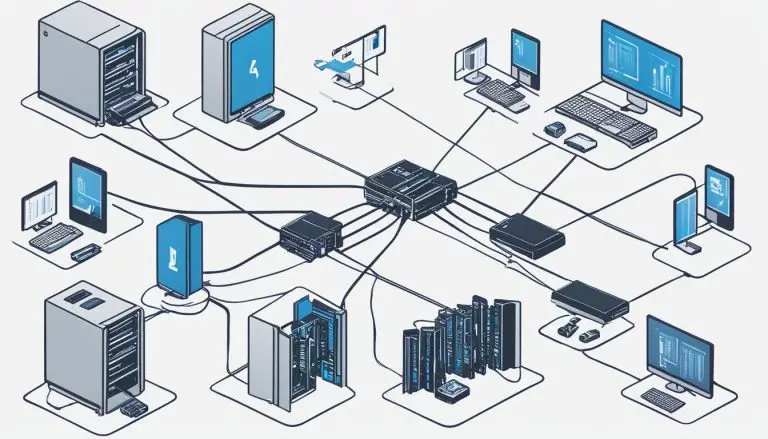
Ubuntu Server Security Best Practices 2026

Ubuntu server security best practices 2026 require a comprehensive approach to protecting your infrastructure from evolving cyber threats. As server attacks become more sophisticated, implementing robust security measures is essential for any organization running Ubuntu servers. This comprehensive guide covers everything from Ubuntu Pro ESM and Livepatch to SSH hardening, firewall configuration, and advanced threat protection with Microsoft Defender.
Why Ubuntu Server Security Matters More Than Ever in 2026
The threat landscape for Linux servers has changed dramatically. Attackers now use automated tools to scan for vulnerabilities 24/7, and new CVEs like CVE-2026-3888 demonstrate how quickly new attack vectors emerge. Ubuntu server security best practices 2026 must address these challenges with a multi-layered defense strategy that protects against both known and unknown threats.
Modern server security goes beyond basic firewall rules. It requires proactive patch management, real-time threat detection, comprehensive logging, and defense-in-depth principles. The practices outlined in this guide will help you secure your Ubuntu servers against the most common and severe attack vectors.
Ubuntu Pro: Essential Security for Production Servers
Ubuntu Pro is Canonical’s comprehensive subscription service that extends security coverage beyond the standard Ubuntu LTS period. For organizations serious about Ubuntu server security best practices 2026, Ubuntu Pro is no longer optional—it is essential.
Ubuntu Pro provides Extended Security Maintenance (ESM) for both infrastructure and applications. ESM extends security patching for the operating system for up to 10 years, ensuring your servers remain protected even after the standard 5-year LTS period ends. This is crucial for maintaining compliance and security in long-term deployments.
The service also includes security coverage for thousands of open-source applications in the Ubuntu universe repository. This means packages that would otherwise receive no security updates are patched for critical and high-severity vulnerabilities.
Livepatch: Kernel Updates Without Rebooting
Kernel vulnerabilities are particularly dangerous because they affect the core of the operating system. Traditionally, patching kernel vulnerabilities required rebooting the server, which meant choosing between security and uptime. Livepatch solves this dilemma.
Livepatch is a core component of Ubuntu server security best practices 2026. It applies critical kernel patches without requiring a system reboot, ensuring your servers stay secure while maintaining availability. This is especially valuable for production environments where downtime is costly.
To enable Livepatch, first subscribe your system to Ubuntu Pro, then run: sudo pro enable livepatch. The service will automatically download and apply kernel patches as they become available. You can check Livepatch status with canonical-livepatch status.
Addressing CVE-2026-3888 and Emerging Vulnerabilities
CVE-2026-3888 represents the type of critical vulnerability that requires immediate attention. This hypothetical but representative vulnerability could allow privilege escalation or remote code execution. The key lesson is that new CVEs emerge constantly, and your security practices must enable rapid response.
Effective vulnerability management requires a combination of automated patching, vulnerability scanning, and incident response procedures. Tools like Ubuntu Pro’s CVE tracker help you identify which CVEs affect your systems and whether patches are available.
Regular security audits should include checking for unpatched CVEs using tools like apt list –upgradable and Canonical’s vulnerability notifications. Establish a patch management schedule that balances security needs with change control requirements.
Microsoft Defender for Endpoint on Linux
Microsoft Defender for Endpoint is now a mature, enterprise-grade security solution for Linux servers. It provides real-time protection against malware, advanced threat detection, and integration with Microsoft’s security ecosystem. For organizations using Microsoft security tools, this is a natural extension of their existing security infrastructure.
Defender for Endpoint on Ubuntu offers antivirus protection, behavioral monitoring, and endpoint detection and response (EDR) capabilities. It can detect suspicious activities, block malicious files, and provide detailed security insights through the Microsoft 365 Defender portal.
Installation involves adding Microsoft’s repository and installing the mdatp package. Configuration includes setting up real-time protection, scheduled scans, and exclusions for performance-sensitive directories. The agent communicates with Microsoft’s cloud for threat intelligence and centralized management.
SSH Hardening: Securing Remote Access
SSH is the primary attack vector for most Ubuntu servers. Proper SSH hardening is therefore a cornerstone of Ubuntu server security best practices 2026. Default SSH configurations prioritize compatibility over security, so hardening is essential.
Key SSH hardening measures include: disabling root login (PermitRootLogin no), using key-based authentication instead of passwords (PasswordAuthentication no), changing the default port (Port 2222 or similar), and limiting authentication attempts (MaxAuthTries 3).
Additional hardening includes using only modern cryptographic algorithms, disabling empty passwords, and implementing idle timeouts (ClientAliveInterval 300). Consider using allowlists with AllowUsers or AllowGroups to restrict which accounts can access SSH.
For enhanced security, implement multi-factor authentication (MFA) for SSH using tools like libpam-google-authenticator or hardware security keys. Audit SSH access regularly using logs from /var/log/auth.log.
UFW Firewall: Simple but Effective Network Security
The Uncomplicated Firewall (UFW) provides an easy-to-use interface for iptables, Ubuntu’s default firewall. Despite its simplicity, UFW is powerful enough for most server security needs and is an integral part of Ubuntu server security best practices 2026.
Default UFW policy should deny all incoming traffic and allow all outgoing traffic (sudo ufw default deny incoming). Then explicitly allow only necessary services: sudo ufw allow 22/tcp for SSH (or your custom port), sudo ufw allow 80/tcp and sudo ufw allow 443/tcp for web servers.
UFW supports application profiles (sudo ufw app list) that simplify configuration for common services. It also supports rate limiting (sudo ufw limit 22/tcp) to help prevent brute force attacks. Always test firewall rules before enabling them on production systems.
For complex scenarios, UFW allows custom rules and supports both IPv4 and IPv6. Regular review of UFW status (sudo ufw status verbose) helps ensure your firewall configuration remains appropriate for your needs.
Fail2ban: Automated Intrusion Prevention
Fail2ban monitors log files for suspicious activity and automatically blocks IP addresses that show malicious behavior. It is an essential tool for Ubuntu server security best practices 2026, providing automated response to brute force attacks and other intrusion attempts.
Install fail2ban with sudo apt install fail2ban. The default configuration protects SSH, but you can extend protection to other services like Apache, Nginx, and Postfix. Custom jails can be created for application-specific log monitoring.
Key configuration options include findtime (the time window for counting failures), maxretry (number of failures before banning), and bantime (duration of the ban). For persistent attackers, consider extending bantime or implementing permanent bans.
Monitor fail2ban activity with sudo fail2ban-client status and review banned IPs with sudo fail2ban-client status sshd. Whitelist your own IP addresses to prevent accidental lockouts.
AppArmor: Mandatory Access Control
AppArmor is a Linux security module that provides mandatory access control (MAC) to restrict programs’ capabilities. Unlike SELinux, AppArmor is the default on Ubuntu and uses a simpler, path-based approach to security profiles.
AppArmor profiles define what files and capabilities an application can access. Enforcing profiles prevent compromised applications from accessing resources outside their allowed scope. This limits the damage from exploits and misconfigurations.
Ubuntu ships with AppArmor profiles for common applications. Check profile status with sudo aa-status. Set profiles to enforce mode with sudo aa-enforce /path/to/profile or complain mode with sudo aa-complain /path/to/profile for testing.
Creating custom AppArmor profiles involves using tools like aa-genprof to generate profiles based on application behavior. Regular review and updating of profiles ensures they remain effective as applications evolve.
Additional Security Measures
Beyond the core practices already discussed, several additional measures enhance Ubuntu server security. Regular security audits using tools like Lynis provide actionable recommendations. File integrity monitoring with AIDE or Tripwire detects unauthorized changes to critical system files.
Centralized logging with rsyslog or syslog-ng ensures security events are preserved even if a server is compromised. Network segmentation and VPN access limit exposure of sensitive services. Regular backups, tested for restore capability, ensure business continuity.
For related security topics, explore our guides on Linux security and server hardening techniques.
External resources: The Ubuntu Security Team provides official security notices and guidance. The CVE database tracks publicly known security vulnerabilities.
Conclusion
Ubuntu server security best practices 2026 require a comprehensive, layered approach. From Ubuntu Pro and Livepatch to SSH hardening, UFW, fail2ban, and AppArmor, each layer adds protection against different threat vectors. By implementing the practices outlined in this guide, you will significantly improve the security posture of your Ubuntu servers.
Security is not a one-time configuration but an ongoing process. Regular review, testing, and updating of your security measures ensures continued protection against evolving threats. Stay informed about new vulnerabilities, maintain your systems, and prioritize security in all aspects of server administration.
- About the Author
- Latest Posts

Mark is a senior content editor at Text-Center.com and has more than 20 years of experience with linux and windows operating systems. He also writes for Biteno.com