Ubuntu Server Security Hardening: Essential Steps for 2026

Securing your Ubuntu server is not optional in today’s threat landscape. This comprehensive guide to Ubuntu server security hardening will walk you through essential steps to protect your infrastructure from attacks. Whether you are managing a production web server or a development environment, these security practices are critical for 2026 and beyond.
Why Server Security Hardening Matters
Cyberattacks are increasing in frequency and sophistication. Unprotected servers become entry points for data breaches, ransomware attacks, and cryptocurrency mining operations. Ubuntu server security hardening transforms a default installation into a fortress that withstands modern threats.
The default Ubuntu installation prioritizes usability over security. Hardening closes unnecessary services, configures proper access controls, and establishes monitoring systems. These steps significantly reduce your attack surface.
Initial Security Assessment
Before implementing changes, assess your current security posture. Identify running services, open ports, and user accounts. Tools like netstat, ss, and lsof help you understand what is exposed to the network.
Document your baseline configuration. This enables rollback if changes cause issues and provides reference points for future audits. Knowledge of your starting point is essential for effective Ubuntu server security hardening.
System Updates and Patch Management
Keeping your system updated is the foundation of server security. Configure automatic security updates using unattended-upgrades. Regular patching closes vulnerabilities before attackers can exploit them.
Establish a maintenance window for applying updates. Test critical updates in staging environments before deploying to production. Balance security with stability by planning update schedules carefully.
SSH Security Configuration
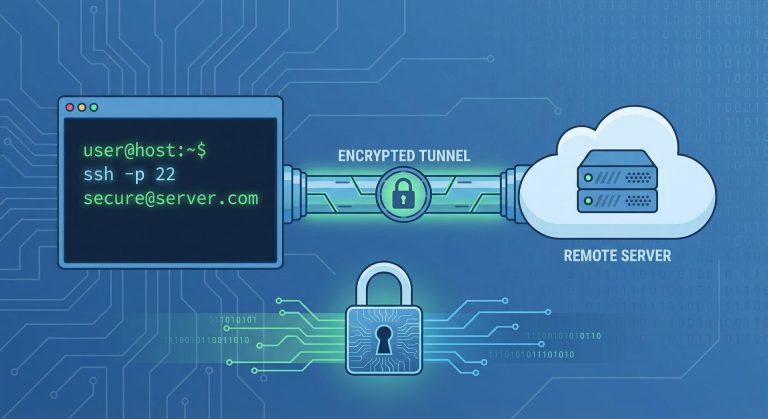
SSH is the primary attack vector for Ubuntu servers. Disable root login and password authentication. Use key-based authentication exclusively. Change the default port to reduce automated scan noise.
Configure fail2ban to block brute force attempts. Set appropriate MaxAuthTries and ClientAliveInterval values. These Ubuntu server security hardening measures protect your primary remote access channel.
Firewall Configuration with UFW
The Uncomplicated Firewall (UFW) provides essential network protection. Default-deny policies ensure only explicitly allowed traffic reaches your services. Configure rules for necessary ports and services.
Document your firewall rules and review them regularly. Remove obsolete rules that no longer serve business purposes. A clean, minimal firewall configuration is easier to maintain and audit.
User Account Management
Principle of least privilege guides user account configuration. Create individual accounts for each administrator. Use sudo for elevated privileges rather than sharing root credentials.
Regularly audit user accounts and remove unused ones. Configure password policies requiring complexity and regular rotation. Monitor authentication logs for suspicious activity.
File System Security
Proper file permissions prevent unauthorized access to sensitive data. Configure appropriate ownership and permissions for system files. Use access control lists (ACLs) for granular permission management.
Separate system partitions for /tmp, /var, and /home limit damage from runaway processes. Mount options like noexec, nodev, and nosuid on appropriate filesystems enhance security.
Service Hardening
Disable unnecessary services to reduce attack surface. Each running service represents potential vulnerabilities. Audit startup services using systemctl and disable those not required.
For necessary services, follow vendor hardening guidelines. Web servers, databases, and mail servers all have specific security configurations. These service-specific measures complement general Ubuntu server security hardening.
Network Security Measures
Beyond the local firewall, consider network-level protections. Implement intrusion detection systems like Snort or Suricata. Configure network segmentation to isolate critical systems.
Disable IPv6 if not required, or properly secure it if enabled. Many administrators forget that IPv6 bypasses IPv4 firewall rules. Complete Ubuntu server security hardening addresses all network protocols.
Logging and Monitoring
Comprehensive logging enables threat detection and incident response. Configure rsyslog for centralized log collection. Implement log rotation to manage disk space.
Set up real-time monitoring for critical events. Tools like OSSEC or Wazuh provide intrusion detection capabilities. Regular log review identifies security incidents that automated systems miss.
Malware Protection
While Linux malware is less common than Windows threats, it exists. Install and configure ClamAV for virus scanning. Rootkit detection tools like chkrootkit and rkhunter provide additional protection.
Schedule regular scans and investigate any alerts promptly. Malware protection is an essential component of comprehensive Ubuntu server security hardening.
Backup and Recovery Planning
Even hardened servers can be compromised. Reliable backups enable recovery from ransomware and hardware failures. Implement automated backup solutions with offsite storage.
Test recovery procedures regularly. Backups are worthless if you cannot restore from them. Document recovery processes so multiple team members can execute them.
SSL and Certificate Management
Encrypt data in transit using properly configured SSL certificates. Use Let’s Encrypt for free, automated certificate management. Configure strong cipher suites and disable outdated protocols.
Implement certificate monitoring to detect expiration before services are disrupted. HTTPS is no longer optional for any web-facing service.
Kernel Hardening with Sysctl
Kernel parameters control fundamental system behavior. Configure sysctl settings for enhanced security. Disable IP source routing, enable SYN cookies, and adjust port scan detection sensitivity.
These low-level configurations strengthen the foundation upon which all other security measures rely. Document your sysctl changes for future reference.
Application Security
Web applications running on your server require specific protections. Implement Web Application Firewalls (WAFs) like ModSecurity. Configure application-specific security headers.
Regular security scanning with tools like Nikto or OWASP ZAP identifies application vulnerabilities. Address findings promptly to maintain strong security posture.
Physical and Virtual Security
For physical servers, control physical access and configure BIOS passwords. In virtualized environments, secure the hypervisor and management interfaces. Cloud instances require proper security group configuration.
Physical security complements logical security measures. Complete Ubuntu server security hardening addresses all layers of the security stack.
Compliance and Auditing
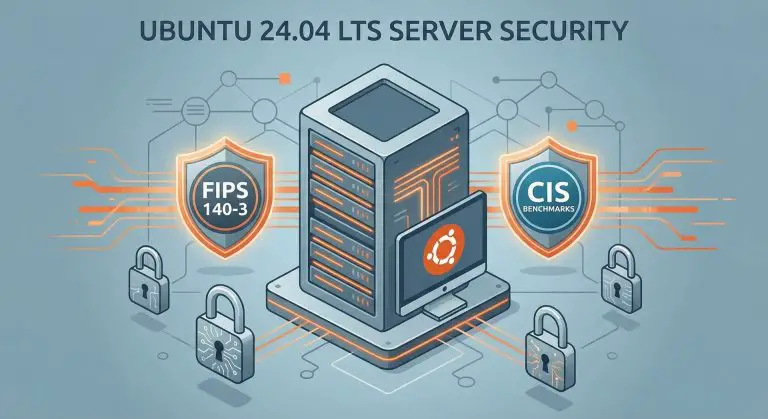
Many organizations must meet regulatory requirements. PCI DSS, HIPAA, and GDPR all have specific server security requirements. Understand which standards apply to your environment.
Regular audits verify compliance and identify security gaps. Document your hardening procedures for auditors. Compliance and security often align but require distinct considerations.
Incident Response Preparation
Prepare for security incidents before they occur. Establish incident response procedures and contact lists. Maintain offline documentation for critical procedures.
Regular tabletop exercises test your response capabilities. Speed of response often determines the severity of security incidents. Preparation minimizes damage when breaches occur.
Security Automation
Automation ensures consistent security configuration across multiple servers. Tools like Ansible, Puppet, or Chef enforce security policies. Infrastructure as Code enables version-controlled security management.
Automated security scanning with OpenSCAP or Lynis identifies configuration drift. Regular automated audits complement manual security reviews.
Ongoing Security Maintenance
Security is not a one-time activity but an ongoing process. Subscribe to security mailing lists for timely vulnerability notifications. Regularly review and update your security configuration.
Threats evolve constantly. Your Ubuntu server security hardening must evolve with them. Continuous improvement keeps your defenses effective against emerging threats.
Conclusion
Implementing comprehensive Ubuntu server security hardening protects your infrastructure from modern threats. This guide covered essential steps from initial assessment through ongoing maintenance. Security requires vigilance and continuous improvement.
Start with the fundamentals and gradually implement advanced measures. Refer to our Ubuntu Server installation guide and Linux shell scripting tutorial for related skills. Secure servers form the foundation of reliable IT infrastructure.
Remember: security is a journey, not a destination. Stay informed, stay vigilant, and keep your systems protected.
- About the Author
- Latest Posts

Mark is a senior content editor at Text-Center.com and has more than 20 years of experience with linux and windows operating systems. He also writes for Biteno.com