What is Fedora Linux: A Comprehensive Guide

Ever wondered where cutting-edge technology gets its start before reaching the mainstream? Many operating systems play it safe, but one platform consistently pushes the boundaries of innovation. We introduce a powerful, free, and open-source operating system. This platform has earned deep respect within the technology community. Its commitment to both freedom and progress sets it apart. This distribution serves as a vital testing ground. New technologies are refined here before they are integrated into more widely-used, commercial systems like Red Hat Enterprise Linux. This makes it an ideal choice for users who demand access to the very latest software developments.
Our guide covers everything from basic definitions to advanced use cases. We explore installation procedures and community engagement opportunities. Our professional, informative approach makes complex technical concepts accessible to various skill levels.
This platform is sponsored by Red Hat, a subsidiary of IBM. This backing ensures continued development and reliability. The core values of freedom, innovation, and community collaboration truly distinguish this distribution.
Key Takeaways
- A free and open-source operating system known for innovation.
- Acts as a testing ground for future Red Hat Enterprise Linux features.
- Ideal for developers, system administrators, and tech enthusiasts.
- Benefits from strong sponsorship and community support.
- Offers a comprehensive suite of modern applications.
- Emphasizes user freedom and cutting-edge technology.
Understanding what is fedora linux
Many technology enthusiasts seek platforms that balance innovation with reliability. This distribution consistently delivers both qualities through its unique approach.
Definition and Scope
We define this platform as a complete operating system built around the Linux kernel. This sophisticated software layer enables direct interaction with computer hardware. The system provides a foundation for various computing needs.
Unlike proprietary alternatives, this distribution embraces open source principles completely. Anyone can view, modify, and distribute the underlying code. This freedom fosters innovation and customization.
The partnership between the community-driven Fedora Project and corporate sponsor Red Hat creates a powerful synergy. This collaboration ensures both cutting-edge development and enterprise-grade stability. Users benefit from this balanced approach.
This versatile operating system serves multiple purposes effectively:
- Desktop computing with modern interfaces
- Server operations for business applications
- Cloud deployments and container solutions
- IoT devices requiring secure foundations
Regular updates every six months keep the kernel and software packages current. This rapid cycle provides access to the latest security enhancements. Users always work with modern tools.
The platform serves dual roles effectively. It functions as a production-ready system while testing future technologies. Many innovations here eventually reach Red Hat Enterprise Linux.
Modular software compilation allows maximum flexibility. Each package operates under its own open source license. Developers can build tailored solutions for specific use cases.
Despite corporate sponsorship, community contributions shape the project’s direction. Global volunteers continuously improve the distribution. This collaborative model ensures the platform remains responsive to user needs.
History and Evolution of Fedora Linux
Behind every successful software platform lies an evolutionary journey marked by key decisions and community contributions. The story of this operating system begins in 2002 when Warren Togami initiated a project to enhance software package availability for Red Hat Linux users.
Milestones in Fedora’s Journey
The Fedora Project officially launched in 2003 as a collaborative venture between Red Hat and the open-source community. This partnership created a cutting-edge platform suitable for both personal and professional use. The first official version, Fedora Core 1, debuted in November 2003.
Early versions used the “Fedora Core” naming convention until version 7. This reflected the integration of Core and Extra repositories into a unified system. The project maintained a rapid release cycle with new versions arriving approximately every six months.
Significant architectural changes emerged with version 21. The project adopted a modular approach to enhance development agility. This evolution continues today with recent versions expanding into specialized editions.
Key developments include:
- Regular six-month release schedule
- Transition from Core to unified packaging
- Modular architecture improvements
- Cloud deployment enhancements
This operating system’s development process shares similarities with container technologies like Docker’s approach to software packaging. Both emphasize modular design and rapid iteration cycles. The project’s commitment to innovation ensures it remains at technology’s forefront.
Fedora Linux Architecture and Core Components
Beneath the surface of every efficient operating system lies a carefully engineered framework of interconnected components. We examine how this platform’s design supports both stability and customization.
The foundation begins with the Linux kernel. This core component manages hardware communication and resource allocation. It handles memory, processing power, and device drivers efficiently.
Modular Architecture and Desktop Environments
This distribution employs a modular architectural approach. Independent components work together seamlessly. Users can add, remove, or replace elements without reinstalling the entire system.
Essential layers build upon the kernel foundation:
- System utilities provide configuration and management tools
- Development frameworks offer comprehensive libraries for programmers
- Desktop environments create intuitive user interfaces
GNOME serves as the default desktop environment. It delivers an intuitive interface for managing files and applications. The design emphasizes usability and visual appeal.
Alternative desktop environments include KDE Plasma and Xfce. These options cater to different preferences for customization and resource usage. This flexibility represents a key advantage of the modular design.
The component-based architecture supports various configurations. Minimal server installations omit graphical interfaces entirely. Full workstation setups include multimedia applications and productivity tools.
Key Features and Advantages of Fedora Linux
The true value of an operating system emerges from its ability to integrate the latest advancements while maintaining operational integrity. We examine how this platform combines innovation with practical usability.
Cutting-Edge Software and Enhanced Security
This distribution’s six-month release cycle ensures users access the newest software and technologies consistently. There are no long-term support versions, guaranteeing fresh updates every half-year. This approach keeps the system at technology’s forefront.
Rigorous testing procedures maintain stability despite rapid innovation. The platform often pioneers technologies like Wayland and PipeWire before other distributions. These features provide a glimpse into computing’s future.
Security receives paramount attention with SELinux enabled by default. This security framework implements mandatory access controls that protect against vulnerabilities. Additional security layers like Exec Shield further harden the system.
The stock GNOME desktop offers an intuitive interface for newcomers and experts alike. Pre-installed applications including web browsers and office tools ensure immediate productivity. This user-friendly approach makes the platform accessible to diverse users.
Underlying these features is efficient package management using RPM and DNF. Delta RPM technology minimizes download sizes during updates. This system supports multiple architectures from x86_64 to IBM Power systems.
For server environments, administrators maintain complete infrastructure control. The platform incorporates modern data center technologies including virtualization and containers. This adaptability makes it suitable for enterprise deployments where streamlined development cycles are essential.
These features combine to create a balanced ecosystem. Users benefit from cutting-edge software without sacrificing reliability. The platform’s commitment to regular updates and robust security makes it a compelling choice for modern computing needs.
Fedora Linux Editions and Their Use Cases
The flexibility of this platform becomes evident through its diverse range of specialized editions targeting different computing needs. Each edition serves distinct purposes while maintaining the core principles of innovation and reliability.
We categorize these specialized versions to address specific technical requirements and user scenarios effectively.
Fedora Workstation
The flagship Fedora Workstation edition provides an optimized environment for desktop computing. This version includes comprehensive development tools and modern applications.
It serves developers and creative professionals with built-in compilers and multimedia software. The intuitive interface supports everyday productivity tasks seamlessly.
Fedora Server
For infrastructure management, the Fedora Server edition offers powerful data center capabilities. This version includes advanced management consoles and containerization support.
System administrators benefit from scalable deployment options and robust security features. The platform handles web hosting, database management, and virtualization efficiently.
Fedora Silverblue and Other Spins
Innovative editions like Silverblue introduce immutable architecture for enhanced stability. These specialized versions support container-based workflows through modern technologies.
Alternative spins provide pre-configured desktop environments for different preferences. Each option maintains the platform’s commitment to cutting-edge technology.
Comparing Fedora Linux with Other Distributions
Package management systems represent a fundamental differentiator among Linux distributions, influencing user experience significantly. We examine how this platform compares with Ubuntu and Debian across key technical dimensions.
Fedora vs Ubuntu vs Debian
Package management approaches vary considerably. This platform employs RPM format with DNF dependency resolver, while Debian and Ubuntu utilize DEB format with APT tools. These differences affect software installation and system updates.
Release cycles present another major distinction. This operating system follows a consistent six-month schedule with 13 months of support. Ubuntu offers both standard and long-term support versions. Debian employs flexible stable/testing/unstable branches without fixed timelines.
Philosophical differences shape software availability. This distribution maintains strict free software policies in default repositories. Ubuntu and Debian provide separate repositories for proprietary packages. Repository sizes also differ, with Debian offering over 20,000 packages.
Target audiences vary across these systems. This platform suits developers wanting cutting-edge technology. Ubuntu serves beginners needing broad hardware support. Debian appeals to users prioritizing stability and minimal requirements.
Installing Fedora Linux: A Beginner’s Guide
Getting started with a new platform requires careful preparation. We break down the process into manageable steps to ensure a smooth setup.
Preparing to Install: Download and Boot
Begin by visiting the official website to download the correct ISO file. Choose between Workstation for desktops, Server for infrastructure, or Silverblue for immutable systems.
Use Rufus for Windows or Balena Etcher for Linux and macOS to create bootable media. This process transfers the file onto a USB drive.
Configure your computer to boot from the USB drive. Access the boot menu using manufacturer-specific keys like F12 or Del.
Step-by-Step Installation Process
Upon booting, select “Try Fedora” to test functionality. This live environment lets you verify hardware compatibility.
Choose “Install to Hard Drive” to begin. Select your language and keyboard layout carefully.
The installation wizard guides you through timezone selection and disk partitioning. Automatic partitioning works best for beginners.
Create your user account with a strong password. Differentiate between regular and administrator privileges.
Click “Begin Installation” and monitor the progress indicators. Reboot when complete to launch your new operating system.
Fedora Linux Package Management and Software Updates
Efficient software management forms the backbone of any modern operating system’s reliability and performance. We examine how this platform’s package handling system delivers both cutting-edge applications and robust security.
Overview of DNF, RPM, and Delta RPM
The foundation begins with RPM (Red Hat Package Manager) format. This standardized container holds compiled software, metadata, and installation scripts. Each package maintains integrity through cryptographic signatures.
DNF (Dandified YUM) serves as the modern package manager. It replaced the older YUM system with improved performance and dependency resolution. Common commands include
1 | dnf install |
for adding new software and
1 | dnf update |
for system maintenance.
Delta RPM technology represents a significant innovation in update efficiency. Instead of downloading entire packages, this system transfers only changed portions. This approach reduces bandwidth usage dramatically while speeding up the update process.
Dependency resolution occurs automatically during installation. The manager identifies required libraries and supporting packages without manual intervention. This streamlined approach to package management ensures consistent software environments.
Repository management allows access to thousands of applications. Users can enable additional sources for specialized software while maintaining system integrity. Regular updates provide security patches and feature enhancements.
Community Support and Contributions
Collaborative development represents the cornerstone of modern open-source initiatives, fostering innovation through shared knowledge. We examine how this platform’s vibrant ecosystem provides comprehensive assistance and engagement opportunities for all participants.
Fedora Community Resources
The Fedora Project operates on four foundational principles: Freedom, Friends, Features, and First. These values guide the global community in creating tailored solutions.
Multiple support channels ensure users receive timely assistance. Ask Fedora serves as the primary Q&A platform for technical challenges. Discussion forums facilitate in-depth conversations about development decisions.
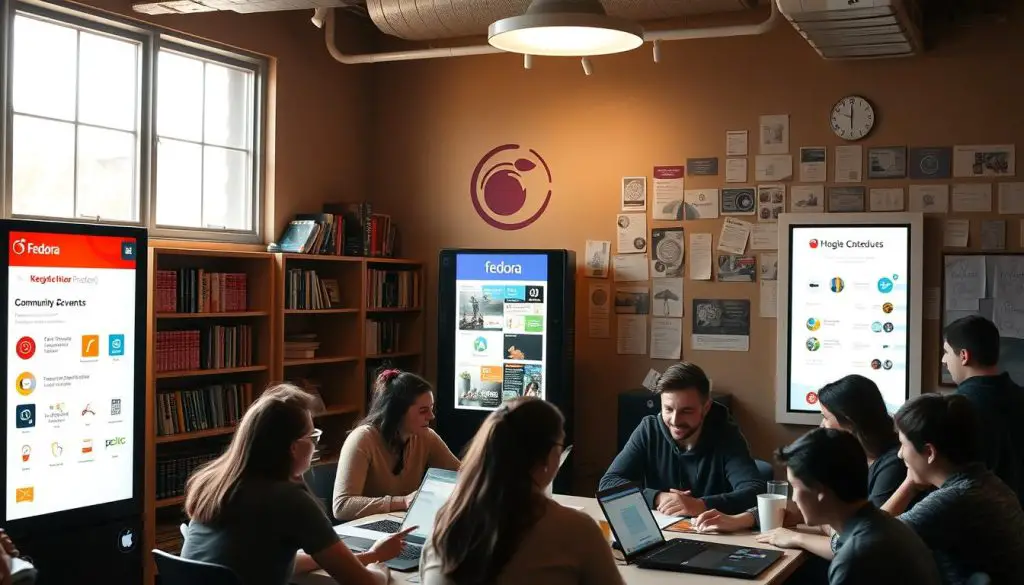
Real-time help is available through IRC channels and Matrix chat rooms. Developers and experienced members provide immediate support for troubleshooting. Bugzilla tracks issues and enables quality assurance through collective testing.
How to Get Involved
Participation opportunities exist for all skill levels and backgrounds. Technical contributions include package maintenance and code development. Non-technical roles encompass documentation, translation, and design work.
Newcomers can start with mentorship programs and “easy fix” bug lists. Special interest groups focus on specific areas like desktop environments or server technologies. This inclusive approach ensures everyone has access to meaningful participation.
The community hosts events like Flock conference and local user groups. These gatherings strengthen connections and facilitate knowledge sharing among participants.
Fedora Linux for Developers and Sysadmins
Technical professionals require an operating system that keeps pace with modern software creation and infrastructure demands. This platform delivers a robust environment tailored for these advanced use cases.
Developer Tools and Environments
We find a comprehensive suite of development tools ready for immediate use. Programmers have access to the latest compilers and interpreters for languages like Python, Go, Rust, and C/C++. This setup eliminates delays in adopting new frameworks.
The container development ecosystem is particularly strong. It features Podman, Buildah, and Skopeo as secure alternatives to Docker. These tools support building and managing container images efficiently.
Popular integrated development environments are readily available:
- GNOME Builder for native application creation
- Visual Studio Code and JetBrains tools
- Version control systems like Git and Mercurial
This environment is ideal for testing new libraries and software before deployment to production servers. The rapid release cycle provides immediate access to upstream innovations.
Security and Administration Essentials
System administrators benefit from robust security features. SELinux enforces mandatory access control, protecting servers from unauthorized access. This is crucial for securing web services and data.
Administrative tools streamline infrastructure management. The Cockpit web interface offers centralized control. Ansible automates configuration management across multiple systems.
Virtualization capabilities are built-in through KVM integration. Administrators can run virtual servers for development, testing, or production use cases. This flexibility supports diverse service deployments.
Monitoring and diagnostics tools help maintain system health. These applications ensure services run smoothly and securely. They are essential for modern infrastructure management.
Conclusion
The journey through software platforms reveals distinct approaches to technology adoption cycles. This operating system successfully bridges innovation with reliability, offering users cutting-edge features while maintaining production stability.
We find a compelling balance between corporate sponsorship and community-driven development. The rapid release cycle ensures access to the latest technologies. This makes the platform ideal for developers, system administrators, and technology enthusiasts.
Strong security features and modular architecture provide flexibility across diverse use cases. The welcoming community offers extensive support resources for all skill levels.
Exploring this open source environment through live media or virtual machines helps determine fit. The platform serves as both production system and innovation laboratory.
Ultimately, selecting an operating system depends on specific workflow requirements. This distribution’s combination of modern features, robust security, and active community makes it a compelling choice worth serious consideration.
FAQ
What makes this operating system different from others like Ubuntu?
How often are new versions released, and how long is the support cycle?
Is this platform suitable for running a production server?
What desktop environments are available for the workstation edition?
Can I use proprietary software or drivers on this system?
What package management system does it use for software installation?
How can I contribute to the Fedora Project?
- About the Author
- Latest Posts

Mark is a senior content editor at Text-Center.com and has more than 20 years of experience with linux and windows operating systems. He also writes for Biteno.com