Build a Local AI Knowledge Base with AnythingLLM and Linux: Complete Tutorial

Generative Artificial Intelligence offers tremendous productivity advantages, but querying cloud-based models with confidential business data introduces severe compliance, legal, and operational hazards. Uploading proprietary source code, internal security standard operating procedures (SOPs), financial spreadsheets, or customer agreements to public AI endpoints breaches confidentiality obligations and risks sensitive data exposure.
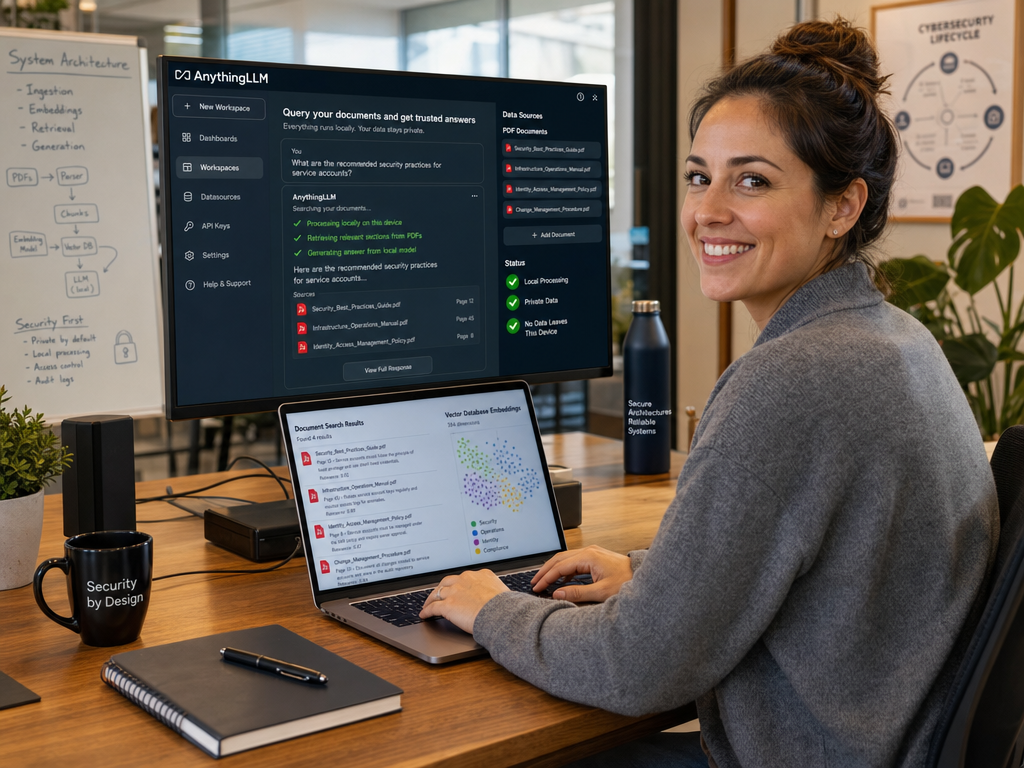
Retrieval-Augmented Generation (RAG) solves this challenge by retrieving relevant snippets from your private documents and injecting them as verifiable context into the LLM’s prompt window. By combining AnythingLLM with Ollama on an internal Linux server, you can construct an enterprise-grade AI knowledge base where every vector embedding, document index, and model computation remains 100% on-premises.
In this comprehensive tutorial, you will learn how to build, deploy, configure, and secure a completely private RAG knowledge base on Linux from scratch.
Architecture Overview: How Local RAG Works
Understanding the internal pipeline clarifies why this setup is both exceptionally private and deterministic:
| Layer | Component Used | Function in Local RAG | ||||
|---|---|---|---|---|---|---|
| Frontend & Orchestration | AnythingLLM | Provides user interface, workspace segmentation, document parser, and query router. | ||||
| Embedding Engine | Ollama (
) |
Converts text paragraphs into multi-dimensional numerical vector representations. | ||||
| Vector Database | LanceDB (embedded) / Chroma | Stores and indexes high-dimensional vectors for ultra-fast semantic similarity searches. | ||||
| Inference LLM | Ollama (
or
) |
Reads retrieved context snippets and synthesizes clear, cited answers to user questions. |
Prerequisites & Hardware Requirements
To run both the embedding model, vector indexing, and the generative LLM locally, ensure your Linux environment meets the following specifications:
- Operating System: Ubuntu 22.04 / 24.04 LTS or Debian 12 (64-bit).
- Memory (RAM): Minimum 16 GB RAM (32 GB recommended for concurrency and large document sets).
- Processor: 8-core CPU minimum; an NVIDIA GPU with 8GB+ VRAM accelerates embedding generation and prompt evaluation significantly.
- Storage: 50 GB+ NVMe SSD space for vector databases, model weights, and document caches.
- Docker & Docker Compose: Installed and running on the host system.
Step 1: Prepare Ollama for Embeddings and LLM Generation
If Ollama is not already installed on your Linux host, install it via the official setup command:
Pull Required Models
A RAG architecture requires two distinct models: an embedding model to transform document chunks into mathematical vectors, and an inference model to generate answers based on those chunks.
2
3
4
5
ollama pull nomic-embed-text
# 2. Pull your primary generative language model
ollama pull llama3.2:latest
Verify Network Accessibility
Ensure that Ollama accepts connections across the Docker virtual bridge network by configuring
1 | OLLAMA_HOST=0.0.0.0:11434 |
in the systemd service override (as detailed in our Open-WebUI with Ollama setup guide), and verify the endpoint responds:
Step 2: Deploy AnythingLLM via Docker Compose
Deploying AnythingLLM through Docker Compose ensures persistent storage for your workspaces, document embeddings, vector collections, and user permission profiles.
Create a dedicated directory and navigation structure:
2
nano docker-compose.yml
Add the following production Docker Compose specification:
2
3
4
5
6
7
8
9
10
11
12
13
14
15
16
17
18
19
20
21
anythingllm:
image: mintplexlabs/anythingllm:latest
container_name: anythingllm
restart: unless-stopped
ports:
- "127.0.0.1:3001:3001"
environment:
- STORAGE_DIR=/app/server/storage
- SERVER_PORT=3001
- DISABLE_TELEMETRY=true
extra_hosts:
- "host.docker.internal:host-gateway"
volumes:
- anythingllm_storage:/app/server/storage
cap_add:
- SYS_ADMIN
volumes:
anythingllm_storage:
name: anythingllm_storage
Start the container in detached background mode:
Monitor container initialization to ensure all internal migration routines complete successfully:
Step 3: Initial Setup & Provider Configuration
Access the web interface by tunneling to
1 | http://localhost:3001 |
or opening your browser. Follow the initial setup wizard to link AnythingLLM with your local infrastructure:
- LLM Provider Selection:
- Select Ollama as your LLM Provider.
- Set the Ollama Base URL to
1http://host.docker.internal:11434
.
- Choose
1llama3.2:latest
from the detected model list.
- Set the context window token limit (e.g.,
18192
tokens).
- Embedding Engine Configuration:
- Select Ollama as your Embedding Provider.
- Set URL to
1http://host.docker.internal:11434
.
- Choose
1nomic-embed-text:latest
.
- Maximum embedding chunk size:
18192
.
- Vector Database Selection:
- Select LanceDB (the default embedded vector engine). LanceDB runs in-process, requiring zero external server maintenance while managing tens of thousands of vector embeddings with instant indexing.
Step 4: Create Workspaces and Ingest Internal Documents
Workspaces in AnythingLLM allow you to logically isolate confidential datasets. For instance, you can establish separate workspaces for IT Infrastructure SOPs, Human Resources, and Financial Records.
- Click New Workspace and provide a descriptive name (e.g.,
1sysadmin-docs
).
- Click the Upload cloud icon in the workspace sidebar.
- Drag and drop your target documentation. AnythingLLM natively processes:
- PDF manuals and architectural diagrams
- Markdown (
1.md
) technical wikis
- Microsoft Word (
1.docx
) and Excel spreadsheets
- Plaintext log files and code files (
1.py
,
1.sh,
1.json)
- Select the uploaded documents and click Move to Workspace & Pin.
- Click Save and Embed. AnythingLLM will chunk the documents, pass them to Ollama’s
1nomic-embed-text
model, and store the resulting vector representations in LanceDB.
Step 5: Tuning Retrieval Accuracy and Search Thresholds
Default retrieval settings may occasionally pull irrelevant sections or dilute context. Within your workspace settings (Workspace > Settings > Vector Database Settings), tune these parameters:
- Max Context Snippets: Set between
14
and
16. Providing too many chunks can overwhelm the LLM’s attention span (the “lost-in-the-middle” problem).
- Document Similarity Threshold: Increase from 0.0 to
10.65
or
10.70. This ensures that only paragraphs with high mathematical relevance to the user’s prompt are passed into the context window.
- Chat Mode:
- Query Mode: Restricts the LLM to answering exclusively based on the provided documents. If the answer is not documented, the model explicitly states it cannot find the information—eliminating hallucinations.
- Conversational Mode: Uses documents as reference material, but allows the model to draw upon its general training weights when answering broader inquiries.
Step 6: Hardening and Production Deployment
To safely provide team-wide access to your local AI knowledge base, apply these hardening safeguards:
1. Enforce Multi-User Authentication
Navigate to Instance Settings > Security > Multi-User Mode. Enable authentication and create individual user accounts with role-based access controls (Admin, Manager, or Default User). Assign specific workspaces so junior team members only access documentation relevant to their role.
2. Configure Nginx Reverse Proxy with TLS
Proxy incoming port 3001 through Nginx with Let’s Encrypt certificates to guarantee encrypted transit of queries and uploaded files over corporate networks.
3. Automate Data Backups
Your entire knowledge base resides in the Docker volume. You can back up all workspaces, vector indexes, and configuration settings with a simple snapshot script:
2
sudo tar -czvf ~/anythingllm-backup-$(date +%F).tar.gz -C /var/lib/docker/volumes/anythingllm_storage/_data .
Summary & Verification
You have successfully built an autonomous, fully private Local RAG Knowledge Base on Linux. Your proprietary manuals, security procedures, and intellectual data are now indexed and queryable through a high-speed vector pipeline without relying on external cloud APIs or risking corporate data governance violations.
Combined with containerized services, Docker container security hardening, and reverse-proxy TLS encryption, this self-hosted stack establishes a rock-solid foundation for enterprise-ready private AI automation. If your infrastructure scales beyond a single server to handle massive concurrent token generation, consider scaling your inference backend with our benchmark on running local LLMs in production with Ollama, vLLM, and TGI.
- About the Author
- Latest Posts

Mark is a senior content editor at Text-Center.com and has more than 20 years of experience with linux and windows operating systems. He also writes for Biteno.com