Debian Linux Server Administration: Complete Guide 2026

Introduction to Debian Linux Server Administration
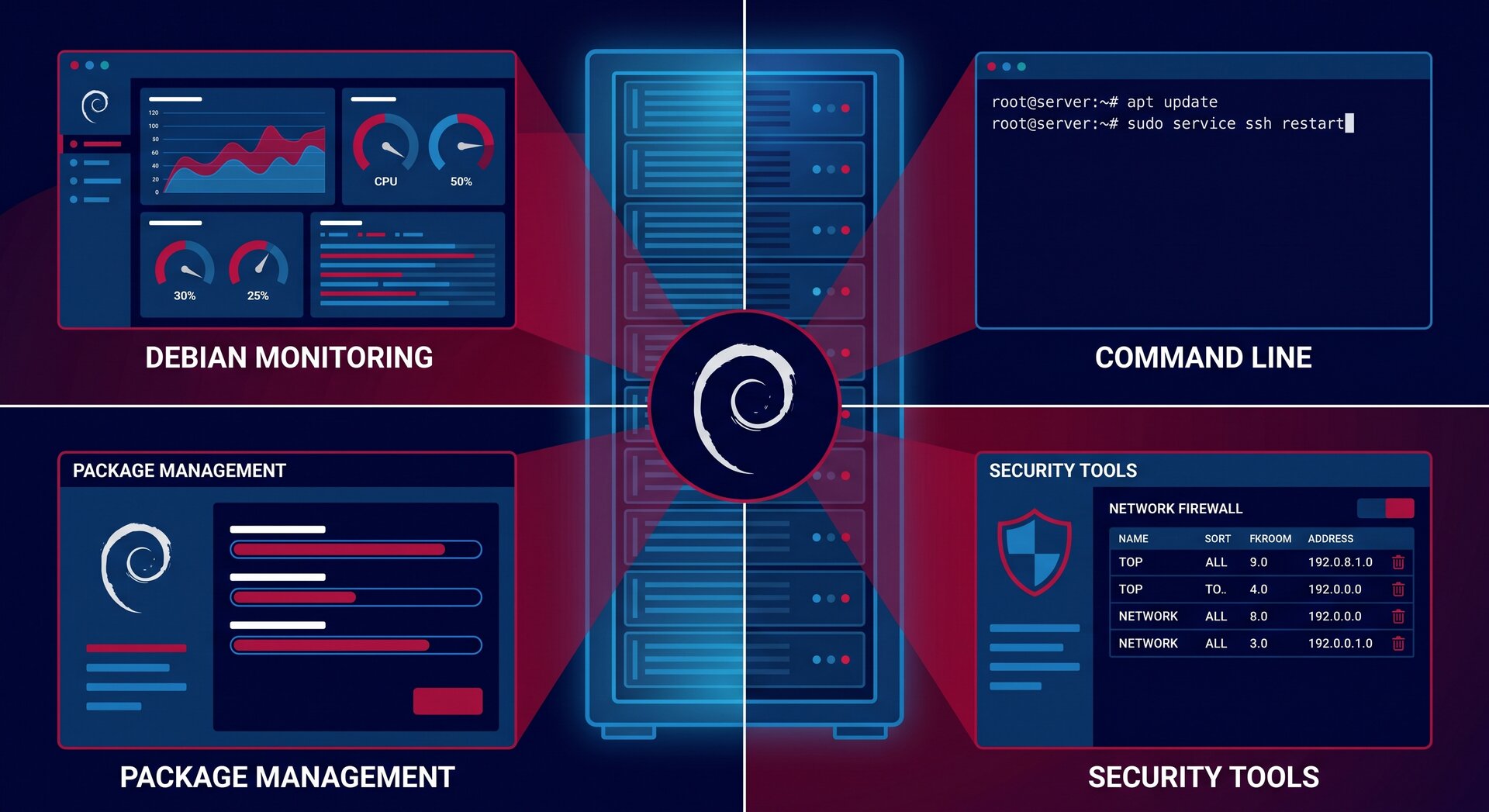
In 2026, Debian Linux server administration remains the cornerstone of enterprise infrastructure management. Known for stability, security, and predictability, Debian powers millions of production servers worldwide. Mastering Debian Linux server administration means understanding package management, service control, security hardening, and proactive monitoring—skills that transform good sysadmins into great ones.
This comprehensive guide covers everything modern Debian Linux server administration requires: from essential daily tasks and security patching to advanced automation and troubleshooting. Whether you’re managing a single VPS or a fleet of enterprise servers, these proven Debian Linux server administration practices will keep your infrastructure secure, performant, and reliable.
Why Debian for Server Administration?
Debian’s popularity in Debian Linux server administration stems from several unique advantages:
- Rock-solid stability – Extensive testing before package releases
- Long-term support – 5+ years of security updates
- Massive package repository – 59,000+ packages in Debian 12
- Predictable upgrade paths – Smooth transitions between versions
- No corporate control – True community-driven development
- APT package management – Superior dependency resolution
These qualities make Debian the preferred choice for mission-critical Debian Linux server administration environments where downtime is unacceptable.
Essential Debian Linux Server Administration Skills
1. Package Management with APT
APT (Advanced Package Tool) is the heart of Debian Linux server administration. Master these core commands:
2
3
4
5
6
7
8
9
10
11
12
13
14
15
16
17
18
19
20
21
22
23
24
25
26
sudo apt update
# Upgrade all packages (safe)
sudo apt upgrade
# Full system upgrade (handles dependencies better)
sudo apt full-upgrade
# Install package
sudo apt install package-name
# Remove package (keep config files)
sudo apt remove package-name
# Complete removal (including configs)
sudo apt purge package-name
# Clean up orphaned dependencies
sudo apt autoremove
# Search for packages
apt search keyword
# Show package details
apt show package-name
Best practice for production Debian Linux server administration: Always run
1 | apt update |
before
1 | apt upgrade |
to ensure you’re working with current package information.
2. Critical Security Patching
In 2026, kernel vulnerabilities like CVE-2026-23111 (nf_tables privilege escalation) highlight why prompt security patching is mandatory in Debian Linux server administration.
Standard security update workflow: (for an in-depth look at enterprise patching automation, see our guide to configuring unattended security patching and Livepatch):
2
3
4
5
6
7
8
9
sudo apt update
apt list --upgradable | grep security
# Install security patches
sudo apt upgrade
# Reboot if kernel updated
sudo reboot
Emergency mitigation for unpatchable systems:
When you can’t immediately reboot to apply kernel patches, implement temporary mitigations:
2
3
4
5
6
7
8
sudo sysctl -w kernel.unprivileged_userns_clone=0
# Make permanent
echo "kernel.unprivileged_userns_clone=0" | \
sudo tee /etc/sysctl.d/99-security-mitigation.conf
sudo sysctl --system
Warning: This mitigation may break unprivileged containers. Test on staging before production.
3. Service Management with Systemd
Modern Debian Linux server administration relies heavily on systemd for service control:
2
3
4
5
6
7
8
9
10
11
12
13
14
15
16
17
18
19
20
21
22
23
24
25
26
sudo systemctl status service-name
# Start service
sudo systemctl start service-name
# Stop service
sudo systemctl stop service-name
# Restart service
sudo systemctl restart service-name
# Reload config without restart
sudo systemctl reload service-name
# Enable service at boot
sudo systemctl enable service-name
# Disable service at boot
sudo systemctl disable service-name
# List all active services
systemctl list-units --type=service --state=running
# List all enabled services
systemctl list-unit-files --state=enabled
Critical services to monitor in Debian Linux server administration: SSH (sshd), web server (nginx/apache2), database (mysql/postgresql), mail server (postfix), and backup agents.
4. User and Permission Management
Proper user management is fundamental to secure Debian Linux server administration:
2
3
4
5
6
7
8
9
10
11
12
13
14
15
16
17
18
19
20
21
22
23
24
25
26
27
sudo adduser username
# Add user to group
sudo usermod -aG groupname username
# Grant sudo access
sudo usermod -aG sudo username
# Delete user
sudo userdel username
# Delete user and home directory
sudo userdel -r username
# List all users
cat /etc/passwd
# List groups for user
groups username
# Change file ownership
sudo chown user:group filename
# Change permissions
sudo chmod 755 directory
sudo chmod 644 file
Least privilege principle: Grant users only the minimum permissions needed. Use groups for role-based access control rather than giving everyone sudo.
5. Log Monitoring and Analysis
Effective Debian Linux server administration requires constant log vigilance:
2
3
4
5
6
7
8
9
10
11
12
13
14
15
16
17
18
19
20
21
22
23
24
sudo journalctl
# Logs for specific service
sudo journalctl -u service-name
# Follow logs in real-time
sudo journalctl -f
# Show only errors
sudo journalctl -p err
# Logs from current boot
sudo journalctl -b
# Logs from previous boot
sudo journalctl -b -1
# Last 100 lines
sudo journalctl -n 100
# Traditional syslog files
sudo tail -f /var/log/syslog
sudo tail -f /var/log/auth.log
Critical logs for Debian Linux server administration:
-
1/var/log/auth.log
– Authentication and authorization
-
1/var/log/syslog
– General system messages
-
1/var/log/kern.log
– Kernel messages
-
1/var/log/mail.log
– Mail server logs
-
1/var/log/nginx/error.log
– Web server errors
Network Management in Debian Linux Server Administration
Essential Networking Tools
Master these tools for effective Debian Linux server administration networking:
2
3
4
5
6
7
8
9
10
11
12
13
14
15
16
17
18
19
20
21
22
23
24
25
26
ip addr show
ip link show
# Show routing table
ip route show
# Show listening ports and services
sudo ss -tulpn
# Test connectivity
ping -c 4 8.8.8.8
# Trace route
traceroute google.com
# DNS lookup
dig domain.com
nslookup domain.com
# Network statistics
ss -s
netstat -i
# Packet capture (advanced debugging)
sudo tcpdump -i eth0 port 80
Firewall Management with nftables
Debian increasingly defaults to nftables for Debian Linux server administration firewall management:
2
3
4
5
6
7
8
9
10
11
12
13
14
15
16
17
18
19
20
sudo nft list ruleset
# Basic firewall setup
sudo nft add table inet filter
sudo nft add chain inet filter input { type filter hook input priority 0\; policy drop\; }
sudo nft add chain inet filter forward { type filter hook forward priority 0\; policy drop\; }
sudo nft add chain inet filter output { type filter hook output priority 0\; policy accept\; }
# Allow established connections
sudo nft add rule inet filter input ct state established,related accept
# Allow SSH
sudo nft add rule inet filter input tcp dport 22 accept
# Allow HTTP/HTTPS
sudo nft add rule inet filter input tcp dport {80, 443} accept
# Save rules
sudo nft list ruleset > /etc/nftables.conf
For simpler firewall management, many Debian Linux server administration professionals still use UFW as an nftables frontend. To shield remote administrative ports from the open Internet entirely, pair your packet filtering with a fast and secure WireGuard VPN setup.
Automated Maintenance for Debian Linux Server Administration
Unattended Security Updates
Automate security patching to maintain robust Debian Linux server administration:
2
3
4
5
sudo apt install unattended-upgrades apt-listchanges -y
# Configure
sudo dpkg-reconfigure -plow unattended-upgrades
Edit
1 | /etc/apt/apt.conf.d/50unattended-upgrades |
:
2
3
4
5
6
7
8
9
10
11
12
13
"${distro_id}:${distro_codename}-security";
};
// Automatically reboot if required
Unattended-Upgrade::Automatic-Reboot "false";
// Reboot time if automatic reboot enabled
Unattended-Upgrade::Automatic-Reboot-Time "03:00";
// Email notifications
Unattended-Upgrade::Mail "[email protected]";
Unattended-Upgrade::MailReport "on-change";
Backup Automation
No Debian Linux server administration is complete without reliable backups:
2
3
4
5
6
7
8
9
10
11
12
13
14
sudo apt install restic -y
# Initialize backup repository
restic init --repo /backup/repo
# Create backup
restic backup /etc /home /var/www --repo /backup/repo
# List snapshots
restic snapshots --repo /backup/repo
# Restore from backup
restic restore latest --target /restore/location --repo /backup/repo
Automate daily backups with cron:
2
3
4
# Add daily backup at 2 AM
0 2 * * * /usr/bin/restic backup /etc /home /var/www --repo /backup/repo
Scheduled Maintenance Tasks
Create systematic Debian Linux server administration routines:
2
3
4
5
6
7
8
9
10
11
12
13
14
15
16
17
18
19
20
21
# Daily maintenance script: /usr/local/bin/daily-maintenance.sh
# Update package cache
apt update
# Clean old packages
apt autoremove -y
apt autoclean
# Check disk space
df -h | grep -E '^/dev/' | awk '$5 >= 80 {print "Warning: " $6 " is " $5 " full"}'
# Check failed services
systemctl --failed
# Review auth log for suspicious activity
tail -n 50 /var/log/auth.log | grep -i "failed\|invalid\|refused"
# Send report
mail -s "Daily Maintenance Report" [email protected] < /tmp/maintenance-report.txt
Performance Monitoring and Optimization
System Resource Monitoring
Key tools for Debian Linux server administration performance tracking:
2
3
4
5
6
7
8
9
10
11
12
13
14
15
16
17
18
19
20
21
22
top
htop
# Disk I/O
iotop
sudo iotop
# Memory usage
free -h
# Disk usage
df -h
du -sh /path/to/directory
# Network bandwidth
iftop
nload
# System load average
uptime
w
Identifying Resource Hogs
2
3
4
5
6
7
8
9
10
11
ps aux --sort=-%cpu | head -10
# Top memory consumers
ps aux --sort=-%mem | head -10
# Disk usage by directory
du -h --max-depth=1 / | sort -hr | head -20
# Find large files
find / -type f -size +100M -exec ls -lh {} \; 2>/dev/null
Advanced Debian Linux Server Administration
Multi-Tenant Server Hardening
For shared hosting or multi-tenant Debian Linux server administration:
2
3
4
5
6
7
8
9
10
11
12
13
sudo nano /etc/security/limits.conf
# Add limits:
username hard nproc 100
username hard nofile 1024
username hard cpu 60
# Apply AppArmor profiles
sudo aa-enforce /etc/apparmor.d/*
# Check AppArmor status
sudo aa-status
Kernel Parameter Tuning
Optimize kernel behavior for production Debian Linux server administration:
2
3
4
5
6
7
8
9
10
11
12
13
14
15
16
17
# Network performance
net.core.netdev_max_backlog = 5000
net.core.somaxconn = 1024
net.ipv4.tcp_max_syn_backlog = 2048
# Security
net.ipv4.conf.all.rp_filter = 1
net.ipv4.conf.all.accept_source_route = 0
net.ipv4.icmp_echo_ignore_broadcasts = 1
# File handles
fs.file-max = 65536
# Apply changes
sudo sysctl -p /etc/sysctl.d/99-server-tuning.conf
Disaster Recovery Planning
Essential for enterprise Debian Linux server administration:
- Document everything – Server configs, network topology, access credentials
- Test backups monthly – Verify restoration works before you need it
- Maintain staging environment – Test updates before production deployment
- Create recovery runbooks – Step-by-step disaster recovery procedures
- Implement monitoring alerts – Know about problems before users report them
Common Debian Linux Server Administration Mistakes
Avoid these pitfalls in your Debian Linux server administration practice:
- Running production as root – Always use sudo with dedicated admin accounts
- Skipping staging testing – Major updates should never hit production first
- Ignoring disk space warnings – Full disks cause catastrophic failures
- No backup testing – Untested backups are useless backups
- Leaving default passwords – Change all default credentials immediately
- Overlooking log rotation – Logs fill disks if not properly managed
- Disabling SELinux/AppArmor – Security modules exist for a reason
Debian Linux Server Administration Learning Path
Beginner Path
- Master basic navigation and file operations
- Understand APT package management
- Learn systemd service control
- Study user and permission management
- Practice log monitoring
Intermediate Path
- Network configuration and troubleshooting
- Firewall setup and security hardening
- Automated update configuration
- Backup and restore procedures
- Performance monitoring and optimization
Advanced Path
- Kernel parameter tuning
- Multi-tenant security isolation
- Configuration management (Ansible/Puppet)
- Container and virtualization management
- High availability and clustering
Practical Debian Linux Server Administration Projects
Home Lab Setup
Build hands-on Debian Linux server administration experience:
- Install Debian on old hardware or VM
- Configure SSH for remote access
- Set up Samba file sharing
- Deploy Nginx web server
- Implement automated backups
- Add monitoring (Netdata/Grafana)
Production Server Checklist
Essential tasks for professional Debian Linux server administration:
- Initial security hardening (SSH keys, firewall, Fail2Ban)
- Automated security updates
- Daily backup verification
- Log aggregation and monitoring
- Performance baseline establishment
- Documentation and runbook creation
- Disaster recovery testing
Conclusion
Mastering Debian Linux server administration is a journey from basic package management to advanced automation, security hardening, and disaster recovery. The skills outlined in this guide—APT mastery, systemd proficiency, security patching, monitoring, and backup automation—form the foundation of professional server management.
Remember that effective Debian Linux server administration combines technical expertise with disciplined practices: regular security updates, systematic monitoring, tested backups, and comprehensive documentation. Start with the fundamentals, build a home lab for hands-on practice, and gradually tackle more advanced topics.
The stability, security, and predictability that make Debian ideal for production environments also reward administrators who invest time in proper system understanding. Whether you’re managing a single VPS or enterprise infrastructure, these Debian Linux server administration principles will serve you well.
For more Linux administration guides, explore our articles on Ubuntu server security hardening and Linux automation best practices. Keep learning, keep securing, and remember: great sysadmins never stop improving their craft!
- About the Author
- Latest Posts

Mark is a senior content editor at Text-Center.com and has more than 20 years of experience with linux and windows operating systems. He also writes for Biteno.com